Key Takeaways
- Publishing isn’t indexing. Hitting “publish” doesn’t mean Google has crawled or found your page yet. That’s a separate step, and it’s on you to trigger it.
- The URL Inspection Tool shows the truth. It’s the free Search Console tool that reveals exactly how Googlebot sees your page right now.
- Live Test and Request Indexing are different buttons. One checks your page in real time. The other asks Google to prioritize crawling it. Neither guarantees a fast ranking.
- There’s a daily limit. Google caps manual indexing requests at roughly 10 to 12 URLs per day per property.
- “URL is on Google” doesn’t mean “ranking.” A green checkmark means you’re eligible to appear in search. It says nothing about whether anyone can actually find you.
- Indexing is only half the job now. Tools like SirTracksALot show whether your page is actually being cited inside ChatGPT, Gemini, and Google’s AI Overviews.
You just hit publish.
Maybe it was that satisfying blue button inside WordPress, or a scheduled post that went live while you slept. Either way, the article looks good, and you close the tab feeling done.
Here’s what almost nobody tells content marketers: hitting publish doesn’t mean Google has seen your page. It just means the page exists. Whether Google finds it in ten minutes or ten weeks is anyone’s guess, unless you actually do something about it.
This article walks you through exactly what to do in the minutes after you publish, using a free tool already inside Google Search Console: the URL Inspection Tool. Then we’ll cover the step almost nobody talks about: whether AI tools like ChatGPT even know your content exists.
What Exactly Is the URL Inspection Tool?
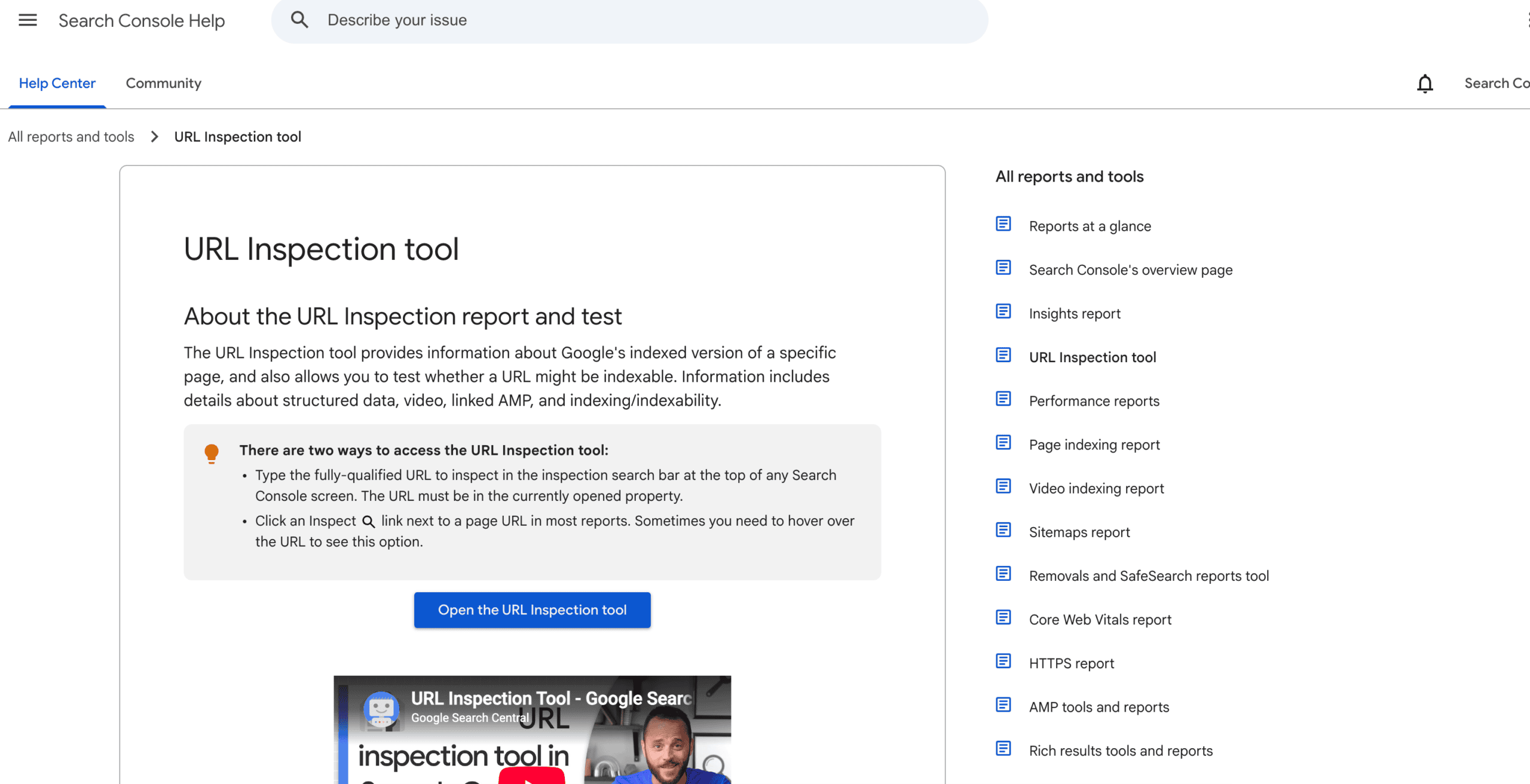
Think of the URL Inspection Tool as a translator. It takes everything Google knows about one page on your site and explains it back to you in plain language.
You’ll find it inside Google Search Console. Paste a URL into the search bar at the top, or click the magnifying-glass icon next to any URL in most reports. Google’s own documentation covers the basics, but here’s how content marketers actually use it.
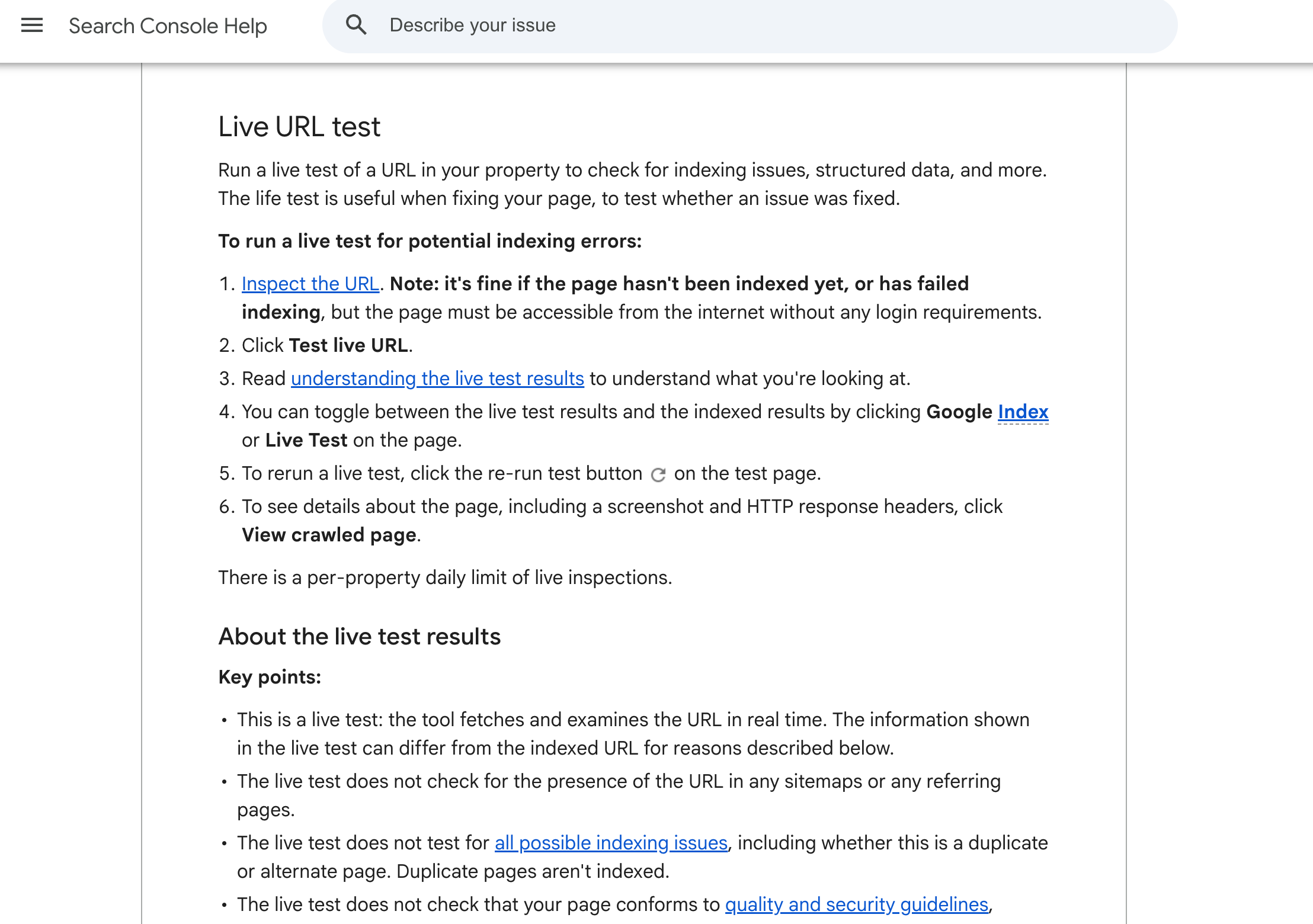
Once you run it, here’s what it shows you:
- Presence on Google: whether the page is indexed, and which version Google picked as “canonical”
- Last crawl date: the last time Googlebot actually visited
- Coverage details: anything blocking indexing, like a stray noindex tag or a robots.txt rule
- Mobile usability: whether the page works properly on phones
- Enhancements: whether Google spotted structured data, like FAQs or review markup
- A rendered screenshot and HTML: basically a photo of what Googlebot sees when it loads your page
Here’s what trips people up: there are two modes here. One shows cached data, whatever Google already has on file, which could be weeks old. The other is Test Live URL, which crawls the page again right now.
If you just published or fixed something, skip the cached report and run the live test instead.
Crawled vs. Indexed vs. Ranked: The Journey Nobody Explains
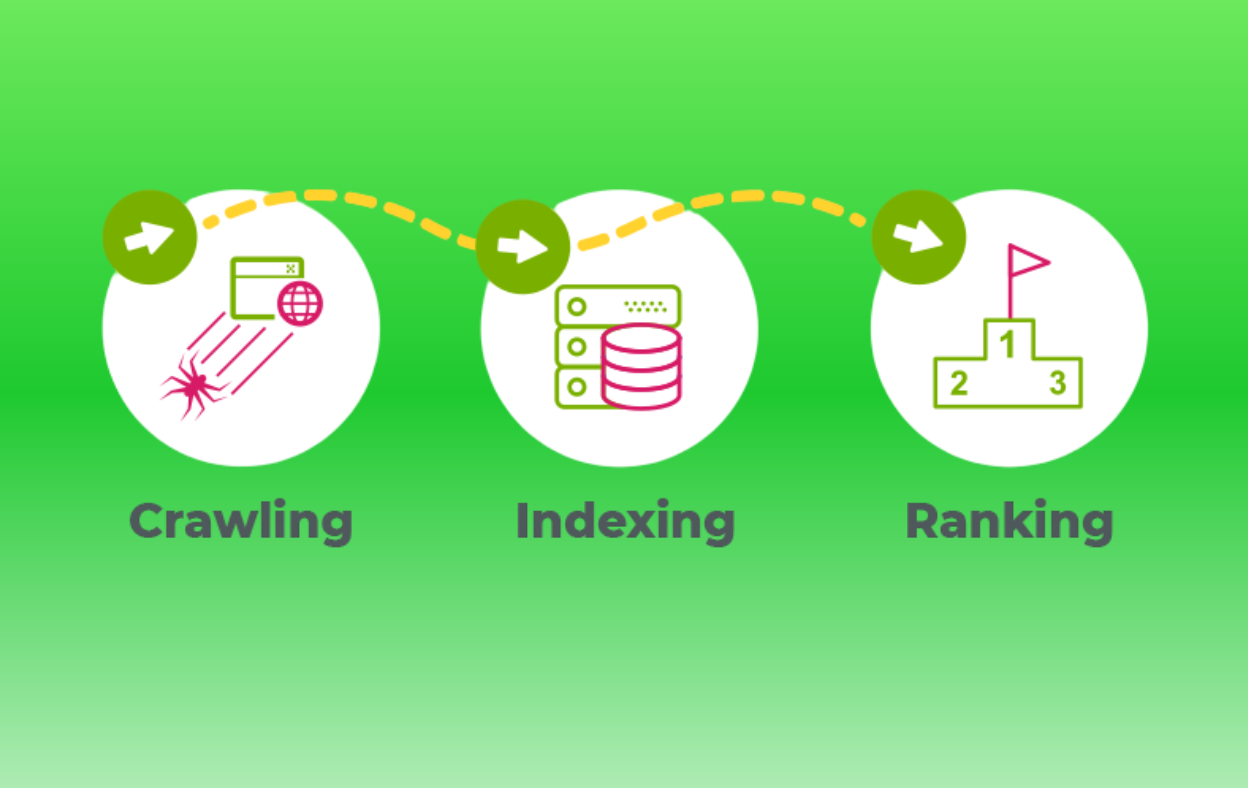
Getting crawled, getting indexed, and getting ranked are three separate events, not one smooth process.
Crawled means Googlebot visited the page. Indexed means Google decided to store it as a candidate to show searchers. Ranked means it’s actually showing up for the terms you’re targeting.
You can get stuck between any of these stages. The most common snag shows up in Search Console as “Crawled – currently not indexed.” That means Google visited, read the page, and decided it wasn’t unique or valuable enough to store. Clicking Request Indexing again won’t fix that.
This is exactly where technical SEO and authority-building meet. A perfectly indexed page with no backlinks and no real signal that anyone trusts it still won’t rank. That’s the gap we spend most of our time closing here at SirLinksAlot, where we’ve built link-building campaigns for more than 1,000 client brands. The URL Inspection Tool confirms Google is willing to look at your page. Earning the links that convince Google, and increasingly AI models, to recommend it is a different job entirely.
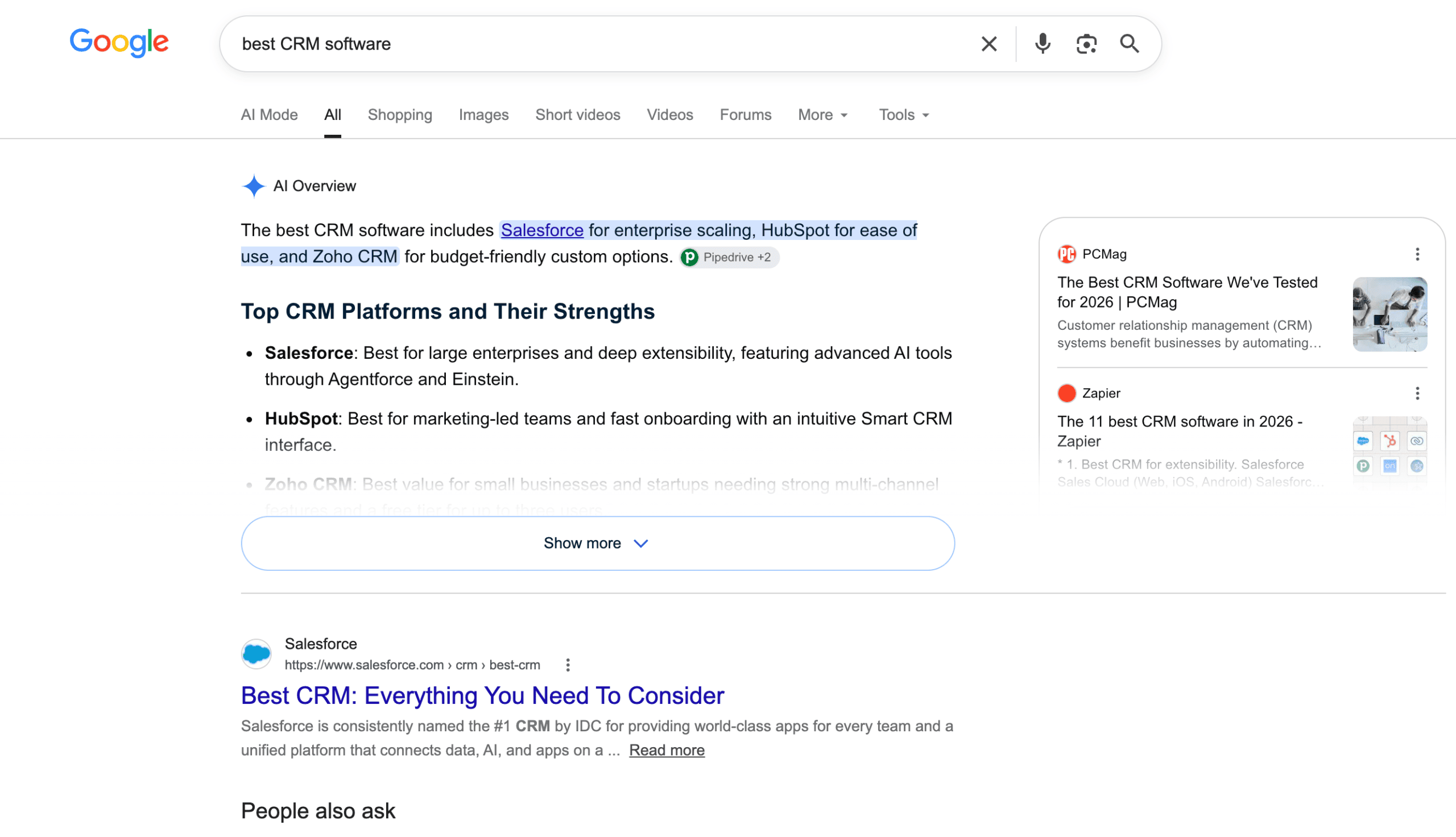
A real-world example: a page targeting something competitive like “best CRM software” almost never fails to rank because of a technical indexing problem. It fails because dozens of well-linked competitors already answer that question more authoritatively.
Your First 10 Minutes After Hitting “Publish”
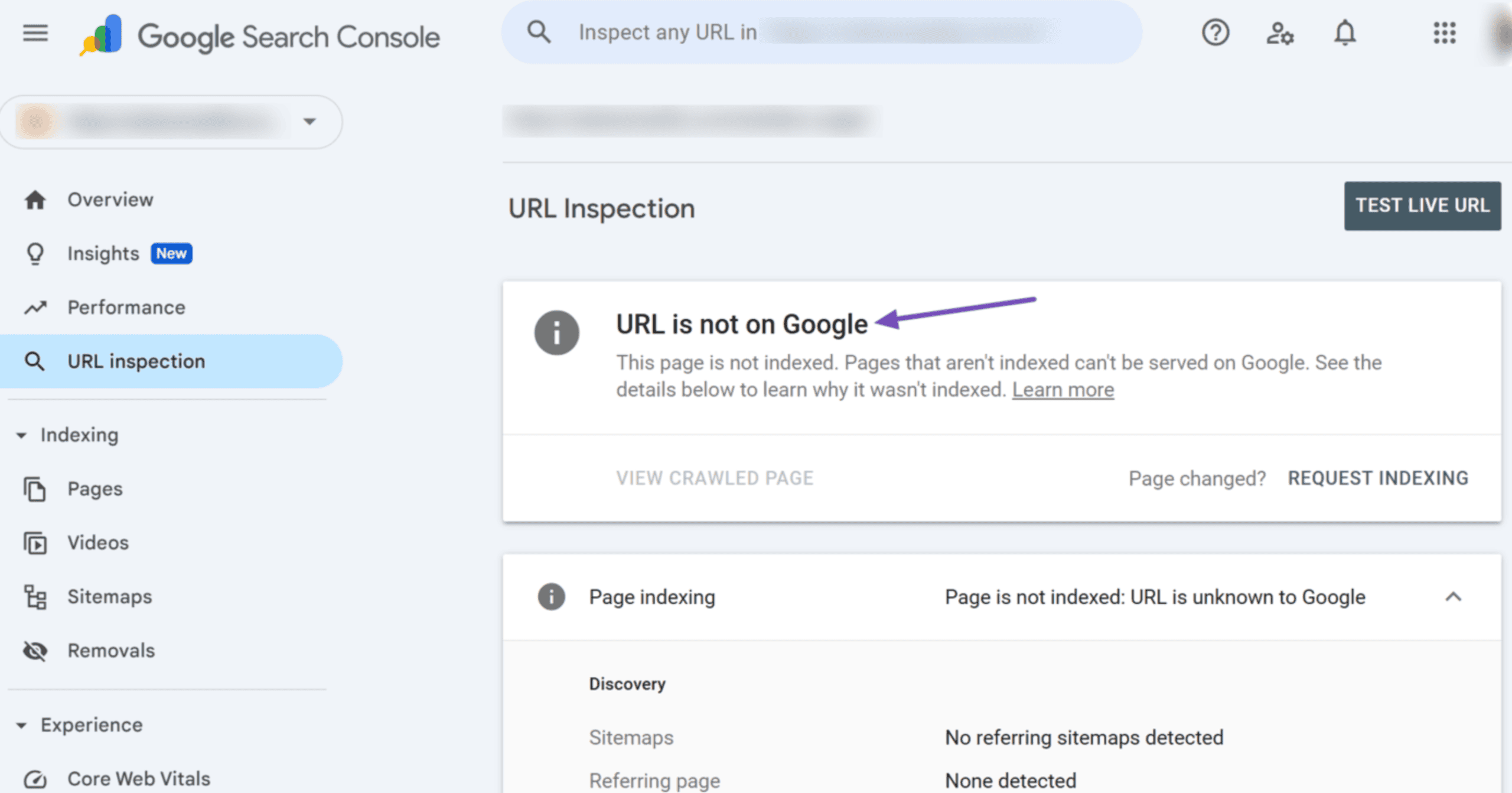
This is the part worth bookmarking. Every time you publish something worth ranking, run through this first.
- Copy the live URL. Grab the exact published link, not a draft or staging version.
- Paste it into the URL Inspection Tool. Find it in the search bar at the top of Search Console, or the left sidebar.
- Check “Presence on Google.” For a brand-new page, seeing “URL is not on Google” is completely normal.
- Click “Test Live URL.” This forces Google to crawl and render your page right now, instead of pulling old cached data.
- Confirm it passes. Look for a green result showing the page is indexable: no noindex tag, no robots.txt block, no server error.
- Click “Request Indexing.” This adds your URL to a priority crawl queue, typically getting Googlebot back within hours to a couple of days, though nothing is guaranteed.
- Don’t overdo it. Google caps this at roughly 10 to 12 URLs per day per property, so save it for content that actually matters.
While you wait, add one internal link to the new page from something already indexed. It genuinely helps, and it takes two minutes.
A day or two later, rerun the inspection. Seeing the green “URL is on Google” result means you’ve cleared step one.
Indexed Is Great. But Is ChatGPT Actually Talking About You?
Here’s the golden rule most guides skip entirely: that green checkmark used to be the finish line. It isn’t anymore.
Search behavior has genuinely shifted. More people now ask ChatGPT, Gemini, or Google’s AI Overviews for a recommendation instead of scrolling through results. ChatGPT alone handles an estimated 2.5 billion prompts a day from roughly 900 million weekly users, many sounding exactly like what your content already answers: “best project management tool for a small team” or “top CRM for real estate agents.”
If an AI model answers that question and never mentions you, it doesn’t matter that you’re perfectly indexed on Google. You’re invisible to that searcher anyway.
The data backs this up. A 2026 analysis from Seer Interactive found that brands cited inside an AI Overview earn more than double the organic clicks of brands answering the same query with no citation. Getting mentioned isn’t a vanity metric. It’s tied to whether anyone clicks through at all.
The catch is that traditional rank trackers were built for blue links. They were never designed to tell you whether ChatGPT recommended you by name yesterday.
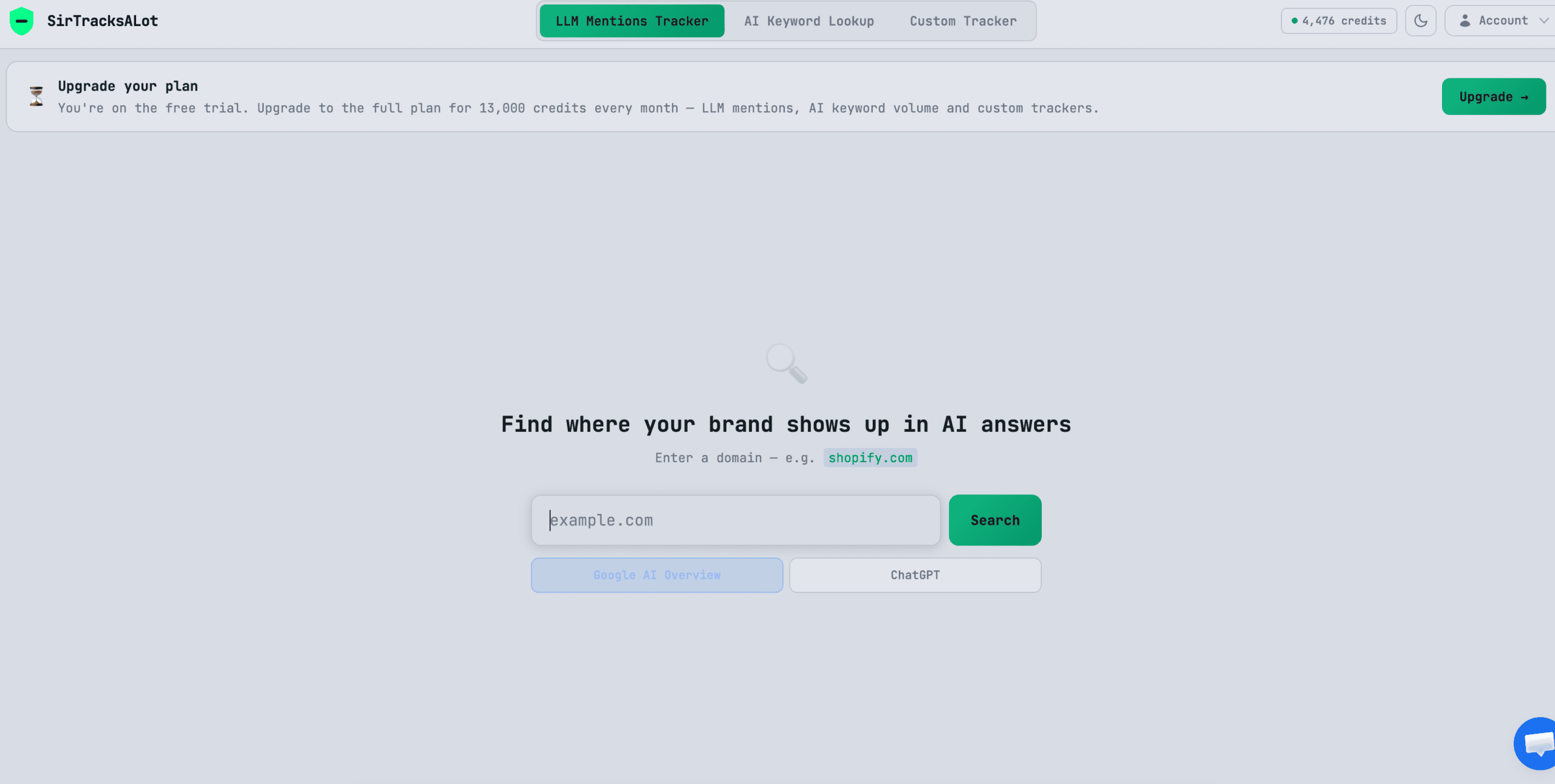
That’s the gap SirTracksALot was built to close. Once your page clears the URL Inspection Tool and shows that green result, that’s your cue to plug it into a SirTracksALot tracker. It checks your brand or keyword across ChatGPT, Claude, Gemini, Perplexity, Grok, and Google’s AI Overviews and AI Mode, showing you the actual AI-generated answer, whether you were cited, and how that changes month to month.
Think of it as the second half of the same workflow. The URL Inspection Tool confirms Google found you. SirTracksALot confirms the AI models are actually talking about you.
Conclusion
Publishing was never the finish line. It’s the starting gun.
The habit is simple: paste your URL into the URL Inspection Tool, run a live test, request indexing if it passes, then give it a day or two to show that green checkmark. That one habit can save your content weeks of sitting in limbo.
But don’t stop there. Getting indexed only gets you into the race; it doesn’t guarantee anyone, human or AI, recommends you at the finish line. That’s why we treat this as a two-part job: SirLinksAlot earns the links and signals that convince Google your content deserves to rank, and SirTracksALot shows you exactly when those indexed pages start getting cited inside ChatGPT, Gemini, and AI Overviews.
Bookmark this workflow. Run it every time you publish.
FAQs
How long does it actually take Google to index a new page?
There’s no fixed timeline. Some pages get crawled within hours of requesting indexing; others take days or weeks. Sitemaps, indexing requests, and internal links all help, but nothing forces Google to index on command.
Does clicking “Request Indexing” guarantee my page will rank?
No. It only asks Google to crawl the page sooner. Once crawled, Google still runs its usual quality and relevance checks before deciding whether to index and rank it.
What does “Crawled – currently not indexed” mean?
Googlebot visited your page but chose not to add it to the index, usually because the content looked thin compared to what’s already out there. Requesting indexing again won’t fix it. Improving the content will.
Is there really a daily limit on how many URLs I can submit?
Yes. Google Search Console caps manual indexing requests at roughly 10 to 12 URLs per day per property. Once you hit it, the button grays out for 24 hours.
Why should I care about AI tools like ChatGPT if my page already ranks on Google?
Because a growing share of searchers now ask AI tools for recommendations instead of clicking through results. Ranking on Google doesn’t automatically mean an AI model will mention you by name. Tools like SirTracksALot let you check that directly instead of guessing.