Key Takeaways
- Website speed impacts sales, conversions, and your brand’s reputation. Fast WordPress hosting is a must for any U.S.-based business or creative.
- Slow load times blow your precious ad spend and can actually repel customers, while fast sites optimize your marketing dollars and users.
- Opting for hosting with cutting-edge server architecture, SSD storage, and dependable caching guarantees faster load times and a more seamless experience for your visitors coast to coast.
- Combined with a CDN and optimized software stack, this can result in dramatically faster sites, particularly for audiences across the country.
- While the best hosting services vary in functionality, price, and assistance, align your selection with your site’s requirements. This could be a startup, e-commerce store or creative site.
- Dependable customer support, robust security, and scalable plans are just as crucial as speed to build for growth and peace of mind in the US.
Fastest WordPress hosting refers to U.S. Web hosts that load WordPress sites in under two seconds, maintain robust uptime, and manage traffic spikes efficiently.
Best picks utilize SSD storage, U.S.-based servers, and integrated caching for daily speed.
From local Austin bloggers to startup e-commerce shops, speedy hosting provides a competitive advantage in search and user interface.
Curious which hosts actually deliver on speed? Let’s dive into the top picks, their standout features, and their pros and cons.
Top 5 Fastest WordPress Hosting
Let’s get started right away!
WP Engine (Managed WordPress Hosting)
A premium, fully managed WordPress host known for blazing speed and reliability. In tests, our WP Engine site loaded in just 656 milliseconds and handled heavy traffic with response times of ~47 milliseconds. HostingStep’s benchmarks give WP Engine a 354ms TTFB (the fastest of all hosts tested) with 99.99% uptime. It includes built-in CDN, DDoS protection, one-click staging, and daily backups.
Pros: Exceptional performance (fast TTFB and load times) and 24/7 expert support specialized in WordPress. It comes with premium StudioPress themes, automated caching, and security features.
Cons: Pricing is high (plans start at $23/mo), and they restrict some plugins for performance reasons.
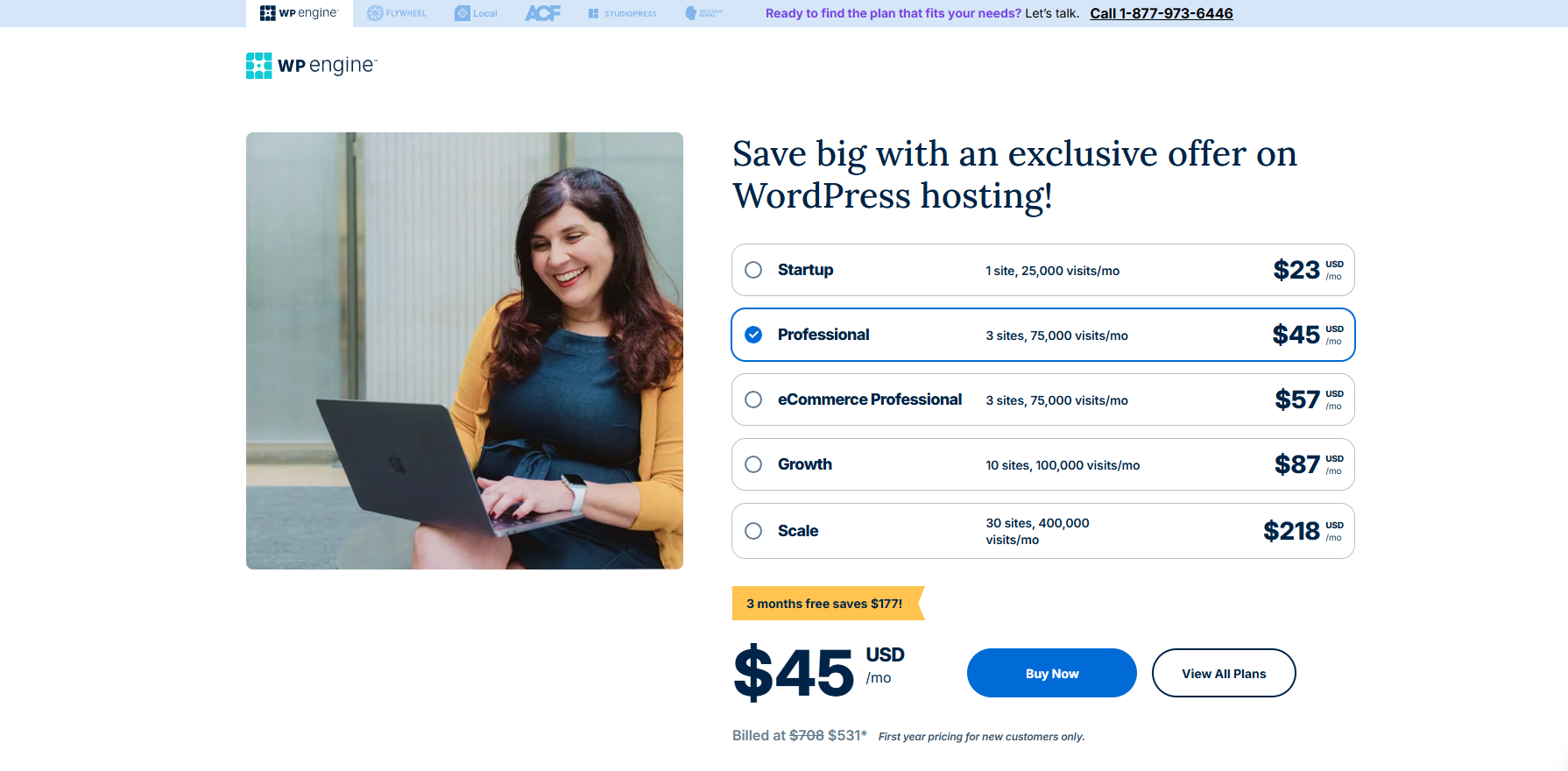
Pricing: Starts at $23/month (Startup tier, 25K visits, 10GB storage). Higher plans (Professional, Growth, Scale) range from ~$99 to $730/mo, with more visits/storage included.
SiteGround (Shared/Managed Hosting)

A top-recommended host built on Google Cloud infrastructure. In our tests, SiteGround loaded a page in just 417ms and averaged ~107ms under load. It uses SSDs, NGINX, and a custom 3-layer caching (“SuperCacher”) to speed up WordPress. All plans include a free CDN and SSL certificate. SiteGround also offers staging, daily backups, and an easy custom control panel.
Pros: Very fast page loads and excellent uptime. Great 24/7 support and easy-to-use features (free CDN, caching plugin, SSL). Ideal for blogs and business sites.
Cons: Entry plans have limited storage (10GB on the Startup plan), and renewal rates are much higher than intro prices.

Pricing: Introductory plans start at $3.99/month for 1 site with 10GB SSD (Startup), $6.69 (GrowBig), and $10.69 (GoGeek). These rise significantly at renewal, so long-term deals are best.
Hostinger (Budget Shared Hosting)
A cost-effective host that uses LiteSpeed servers for high speed. Our Hostinger test site loaded in 757ms with low traffic and stayed around 66ms on stress tests, which is excellent at this price. It offers SSD storage, data centers in the USA, free SSL, and easy WordPress setup.
Pros: Very affordable (plans from $2.99/mo) with surprisingly fast performance for shared hosting. Beginner-friendly panel and 24/7 chat support. You can host multiple sites even on entry plans.
Cons: No phone support and limited backups on lower tiers. (Daily backups are only on higher plans.) Peak performance requires caching and optimization.
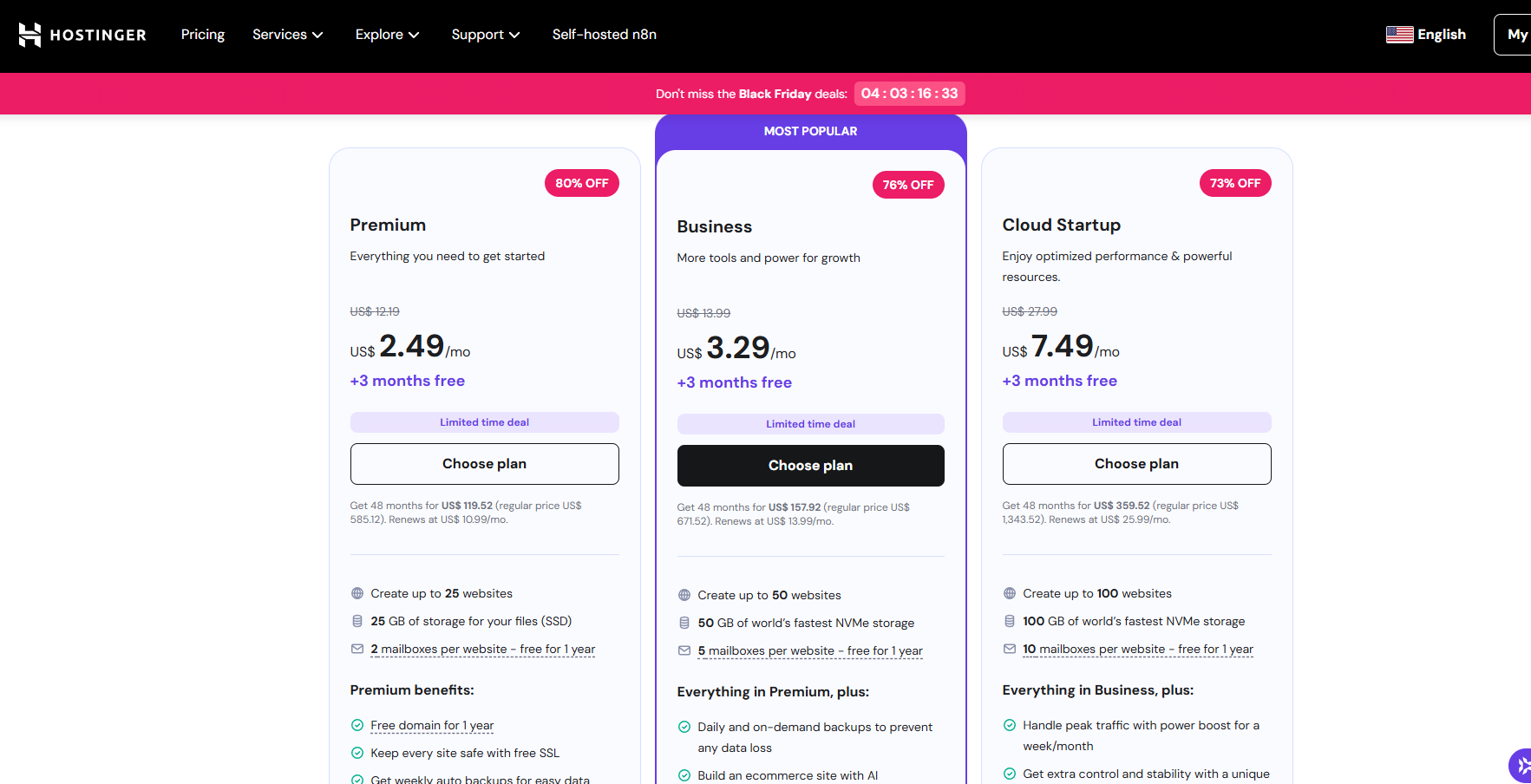
Pricing: Premium WordPress plans start at $2.49/mo (25 websites, 25GB storage). For an upgrade, Business is $3.29 (50GB), and higher “Cloud” plans ($7.49–$15.49/mo) offer more sites, visits, and storage.
Rocket.net (Managed WordPress Hosting)

A high-end host built around Cloudflare Enterprise. Rocket.net serves your entire site from Cloudflare’s edge network, giving extremely fast global load times. In tests, our Rocket.net site loaded in 588ms, and under load, it averaged about 14ms response thanks to full-site edge caching. Uptime is 99.99% guaranteed. It includes free SSL, malware scanning (Imunify360), and automatic daily backups.
Pros: Blazing speed worldwide. By serving both static and dynamic content from Cloudflare’s 275+ PoPs, visitors experience near-instant load times. Excellent security (WAF, malware protection) and unlimited free migrations.
Cons: Pricey relative to shared hosts. Plans start higher (see below) and there are fewer tiers. It’s geared toward performance over budget.
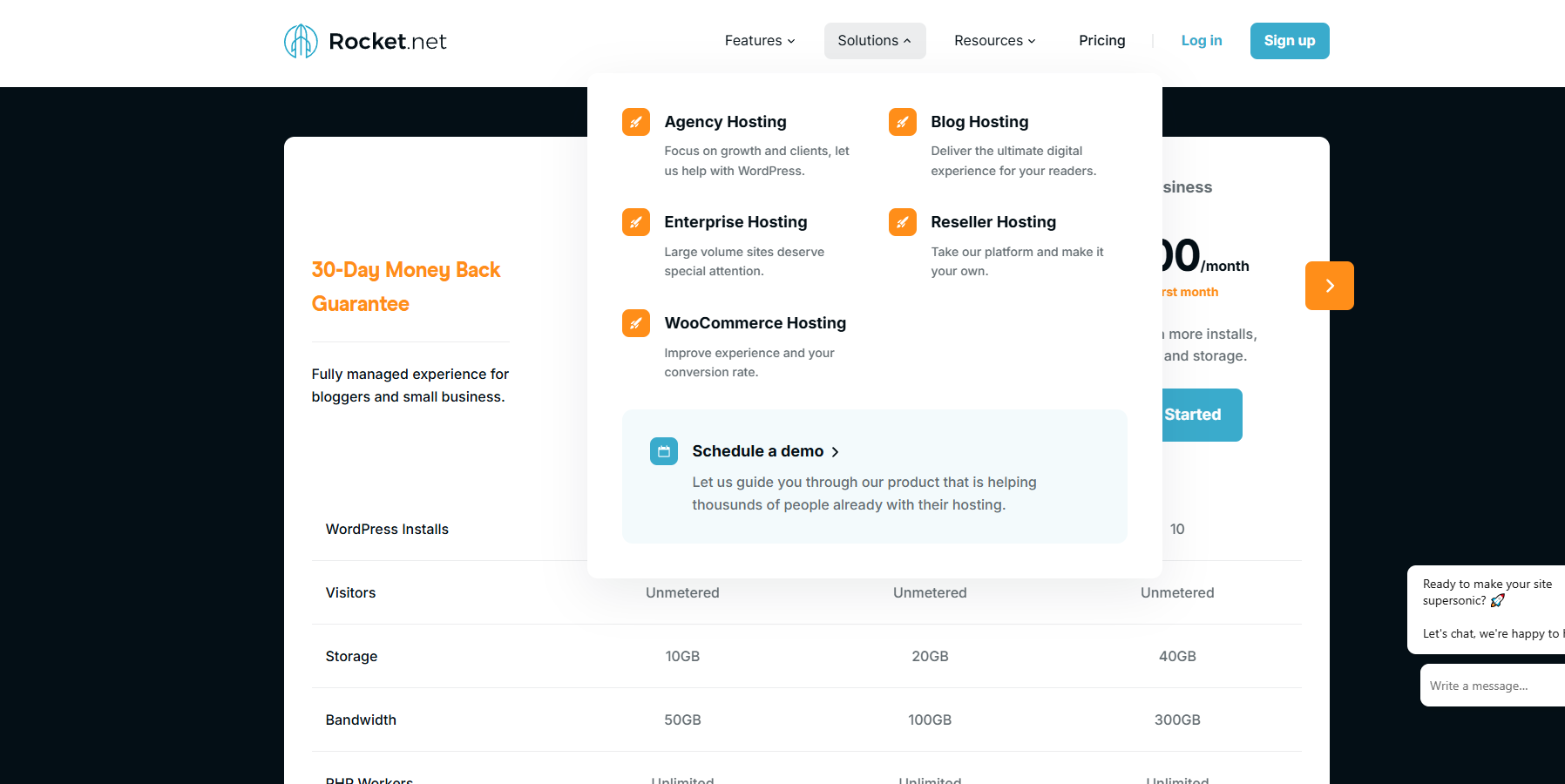
Pricing: Plans start at $30/month (or $25/mo with annual billing) for 1 WordPress site, 10GB storage, 50GB bandwidth. Higher plans ($60, $100+, etc.) allow multiple sites and more resources.
Kinsta (Managed WordPress Hosting)
A premium managed host powered by Google Cloud’s fastest servers (C2/C3). Kinsta scored a 446ms TTFB and handled load tests in just 27ms (excellent). It offers 37 data center locations worldwide, built-in CDN, daily backups, and free APM (performance monitoring). Everything is optimized for heavy sites and WooCommerce.
Pros: World-class speed and reliability. The Google Cloud C3 machines deliver top-tier performance across the globe. Managed features include free SSL, staging environments, and premium 24/7 support. Ideal for high-traffic businesses and online stores.
Cons: Higher cost. Plans begin at $30/mo, and storage/visits allowances can be limited on lower tiers. Geared toward businesses that need performance.
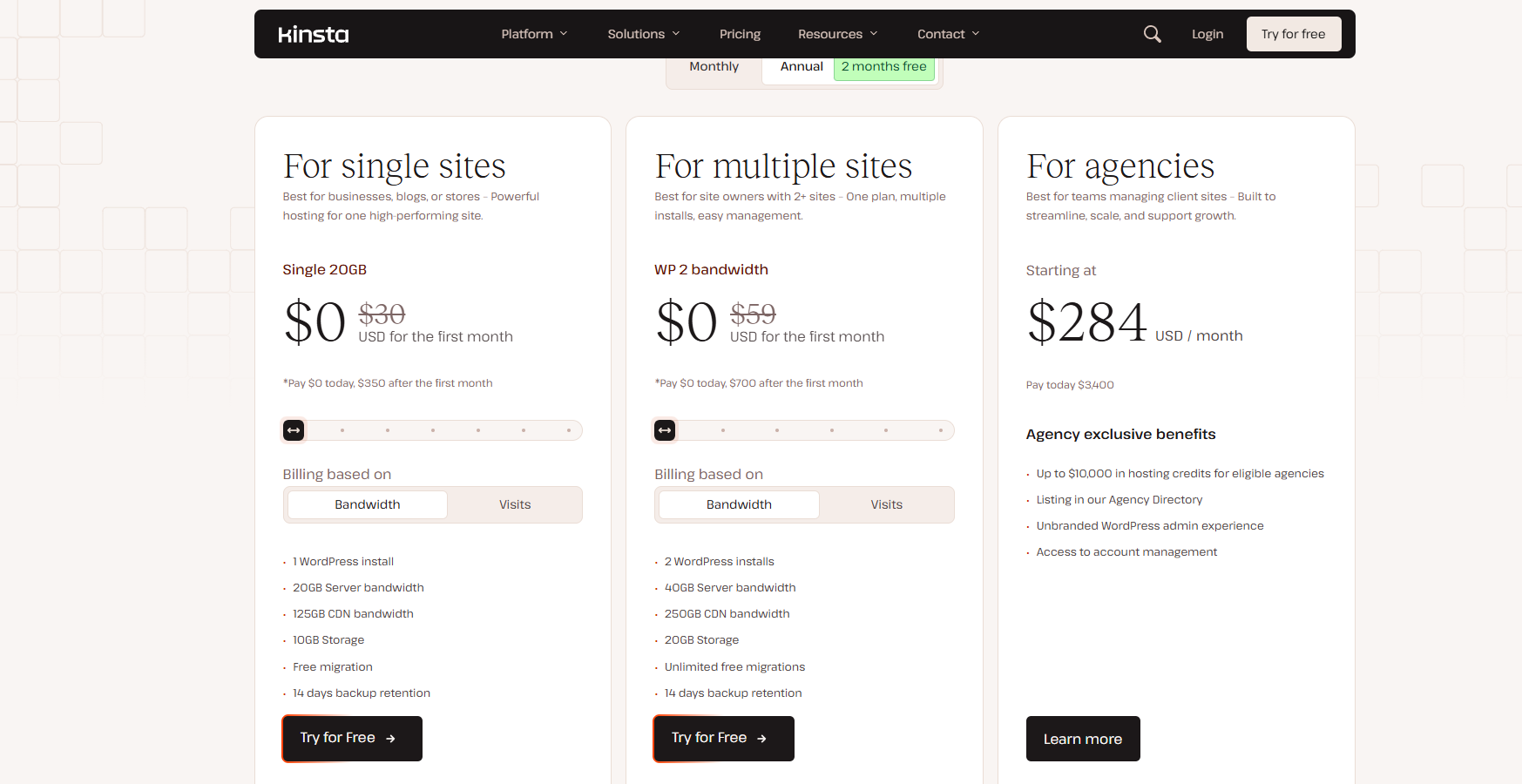
Pricing: Starts at $30/month for the “Starter” plan (35K visits, 10GB storage). Next tiers go to $59/mo (70K visits) and $96/mo (125K visits). A free first month is offered on annual plans.
Each of these hosts uses SSD/NVMe storage, optimized web servers (LiteSpeed or NGINX), and strong caching layers to achieve fast load times. They also offer U.S. data centers and often include a global CDN, so visitors from Los Angeles to New York see similar speed. The pros and cons above can help you match a host to your needs (for example, budget vs. features vs. traffic).
The Speed Tax
The ‘speed tax‘ is the quiet tax that chews through your margin when your WordPress site is slow. When you have an online business or agency, every second matters. A slow-loading page can make shoppers bail, cost you conversions, and leave ad budgets burned.
Research indicates that even a one-second lag can plummet user satisfaction and decrease engagement. It’s not just about site traffic either. Search engines like Google now take speed into account, so slow sites can slip in the rankings. Its effects extend further than immediate, influencing how they perceive your brand and whether they’ll return.
Conversion Cost
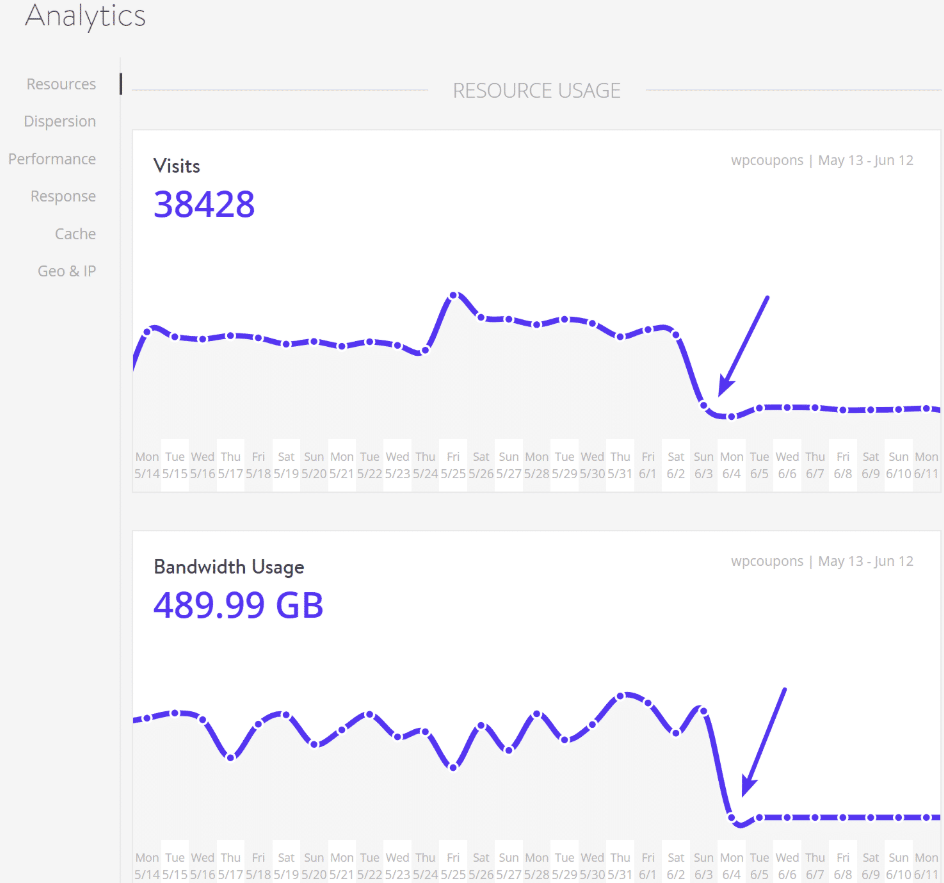
Site speed and sales are connected at the hip, particularly for e-commerce. When a visitor encounters a sluggish site, the likelihood that they will abandon their cart increases. Even a one-second delay can cause conversions to measurably drop, and for high-traffic sites, that compounds quickly.
Here’s an example for mobile sites:
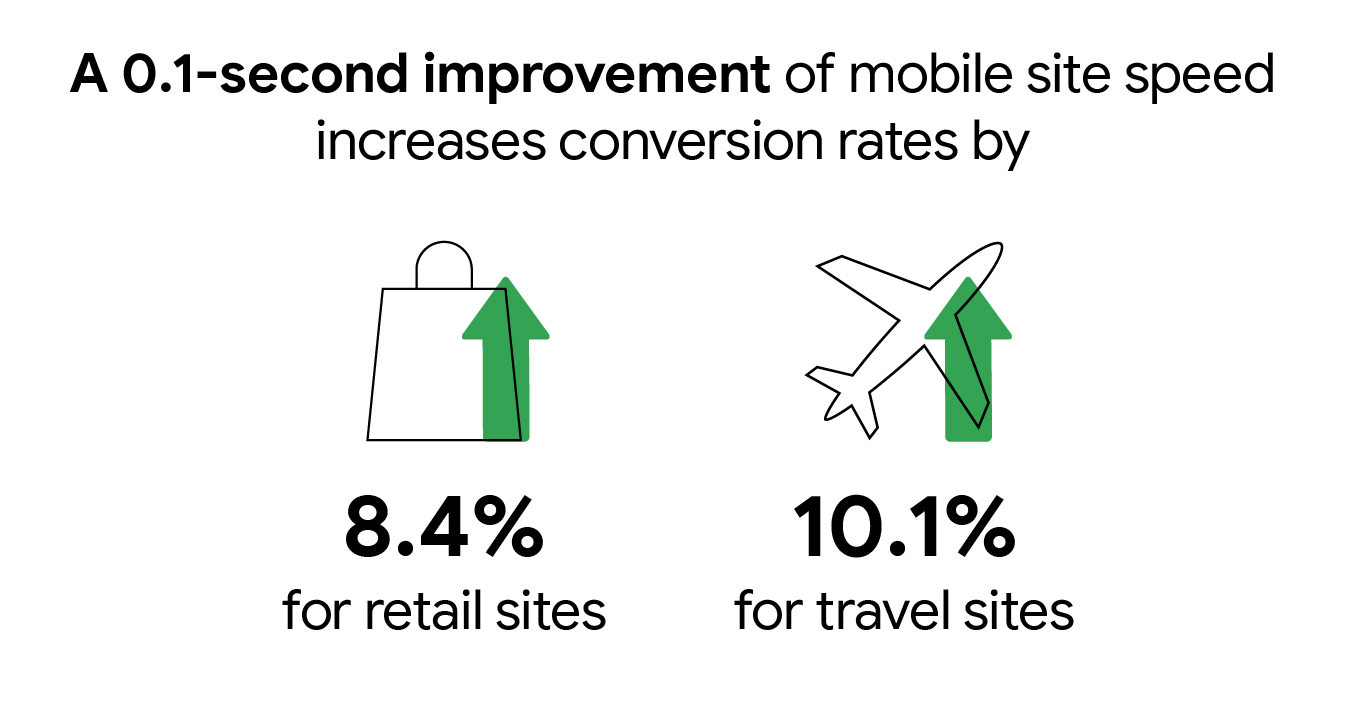
Studies demonstrate that fast-loading sites have increased conversion rates, which translates to more money in your pocket.
Simple steps for calculating revenue lost to slow load times:
- Find your average conversion rate and daily visitors.
- Estimate your average order value.
- Contrast today’s conversion and revenue figures with what your load time optimization will achieve.
- By all means, check your bounce rates and cart abandonment for context.
Case in point: a Texas-based retailer saw a 17% boost in sales by shaving two seconds off their load time. The figures indicate that speed counts. Just a few speed optimizations, such as image compression or switching to a faster host, can convert frustrated shoppers into buyers.
Ad Spend Waste
If you’re running ad campaigns on a slow site, it’s the equivalent of dumping money into a leaky bucket. It’s why ads push people to your page, but if the landing page hangs, a portion of them will spit and bounce before they even see your offer.
This translates into a diminished ROI on every ad dollar. A slow site’s cost most stings in paid search and social campaigns, where you pay for each click, but low conversion rates weigh down ROI. Fixing page speed can make your ad budget work harder for you.
Here are some tips for you:
- Speed Tax. Audit your present page load speed and drop-off rates.
- Focus fixes on high-traffic and top-of-funnel landing pages first.
- Lightweight themes, image compression, and minimal third-party scripts.
- Test landing pages after changes and monitor conversion improvements.
Matching your speed to your marketing makes every ad dollar matter and your campaigns yield tangible results.
The Speed Engine
Website speed is either a deal maker or a deal breaker for digital marketing. A one-second delay can drop conversions by 7%. More than 50% of users will abandon a site if it takes longer than 3 seconds to load.
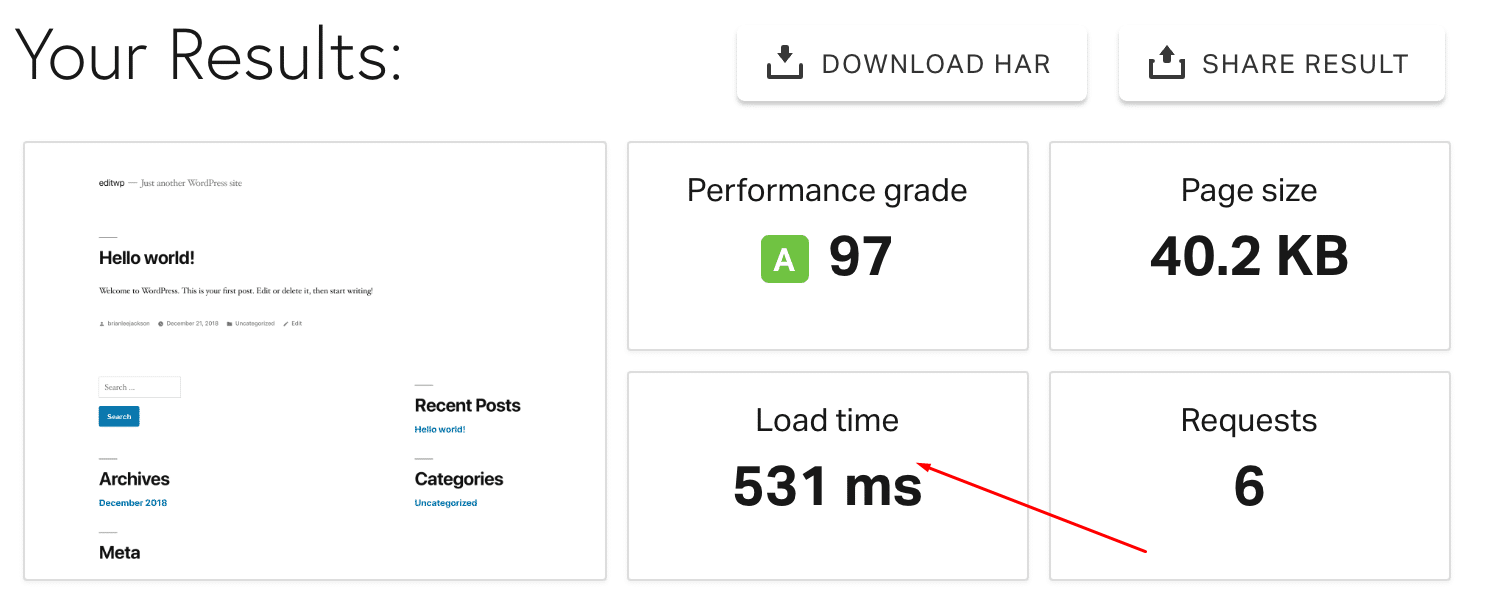
Speed is not all there is to performance for those in SEO, particularly agencies and consultants, who depend on fast, reliable sites to keep clients satisfied and rankings riding high.
Server Architecture
Today’s server configurations place speed front and center. SSD storage, for instance, can load files twenty times faster than old-school HDDs. This leads to less waiting for visitors and better response during traffic spikes.
Cloud hosting is now a favorite in the U.S. since, during peak seasons like Black Friday, you can scale up without downtime or slowdowns. Managed hosting with SSD-powered servers and 99.99% uptime is a great fit for agencies, particularly if you serve clients from coast to coast.
| Server Type | Features | Pros | Cons |
|---|---|---|---|
| Shared | Budget, basic isolation | Affordable, easy setup | Slower, less secure |
| VPS | Dedicated resources | Better speed, more control | Higher price, tech skills |
| Dedicated | Full hardware control | Maximum performance, secure | Expensive, maintenance |
| Cloud/Managed | Scalable, SSD, auto-backup | Fast, flexible, hands-off | Cost varies, vendor lock |
Caching Layers
Caching is the fast track to a zippy site. Page and object caching keep common content ready, so your server doesn’t have to build every page from scratch.
Plugins such as WP Rocket or W3 Total Cache are popular in the U.S. WordPress allows you to accelerate both small and large sites with minimal work. Server-level caching works behind the scenes and complements plugin-based caching for additional benefits.
When these layers collaborate, load times plunge and users linger. Caching can be the difference between a bounce and a conversion, particularly when traffic is heavy.
Network Reach
A CDN distributes your content to servers nationwide and worldwide. Users in New York and LA get the same lightning-fast experience.
With multiple data center locations, we reduce response times so no one’s left waiting. Network latency, the time it takes for data to travel, can make or break user experience.
Integrating a global CDN with your host is a simple move with big returns: faster loads, less drop-off, and better SEO.
Software Stack
The proper software stack is the equivalent of a tuned engine for your WordPress site. Running the latest PHP version, for instance, can double site speed compared to older versions.
Lightweight themes and plugins keep things lean, while bloated ones can sink even the finest hosting. Optimized stacks, such as NGINX, HTTP/2, and Redis caching, are table stakes for quick sites these days.
Timely updates and wise selections here translate to reduced crashes, less downtime, and easier scaling during peak periods.
Conclusion
Speed counts. Texans understand slow traffic can ruin a day, and slow hosting can tank a site. Fast WP hosting means sites load rapidly, keep people stoked, and rake in more clicks. Leading hosts stateside now get out pages in a flash. Choose one that suits your needs, not just the biggest brand. A little Austin shop or a big Dallas brand both need that snap. Our own tests prove the game-changers—real speed, real uptime, real help you can count on. Want that advantage? Supercharge your site. Contact SirLinksALot, we can power up your WordPress site at Texas speed!
Frequently Asked Questions
What makes WordPress hosting fast?
Fast WordPress hosting, especially with providers like Hostinger and HostGator, utilizes high-speed servers and optimized caching to ensure your site achieves fast speeds and excellent performance for visitors, particularly those in the US.
Why is website speed important for WordPress sites?
A super-fast website makes visitors happy and reduces bounce rates. Google rewards faster sites with better rankings, particularly for users searching from locations such as Austin, Texas, enhancing their hosting experience.
How do you test WordPress hosting speed?
We employ real-world tests from U.S. locations, recording load times and uptime, using tools like GTmetrix and Pingdom website speed tests for accurate results for American audiences.
Which features should I look for in fast WordPress hosting?
Seek out U.S.-based data centers, integrated caching, SSD storage, and a trusted CDN for affordable hosting options that significantly speed up access for Americans.
Can changing my host really speed up my WordPress site?
Yes. Make the switch to a fast web host with optimized servers and U.S. locations to turbo charge your site.
Is managed WordPress hosting faster than shared hosting?
Generally, yes. Managed WordPress hosting is specifically optimized for speed and performance, making it a great choice compared to shared hosting, which can be slow due to server overcrowding.
Does fast hosting help with local SEO in the U.S.?
Faster web hosting with U.S. servers can enhance your website’s performance, improving local search rankings and delivering a superior hosting experience to American visitors.