No one is living under a rock to know if every business might also have a fully functioning website of its own. There is also a huge competition when it comes to the sheer number of online businesses. So the internet has now become this bustling crowd and local markets, and your website is like owning a store and trying to attract new customers. So let’s cut to the chase here, we are not going to talk about how well your online website is doing, but about how to make it better.
To make your website better, first, you have to conduct a website analysis to make sure you know each nook and corner of your site. This will eventually help you understand why you’re getting less traffic every month, what’s stopping your customers from clicking the buy button, and why everyone is bouncing off.
To know every answer to whys and hows, you need to do proper website analysis. So thank me later, but in this article, I’ve made this very proper guide to help you understand how you can conduct a website analysis and discuss every type of analysis to help you get your job done.
What is Website Analysis

So, let’s start with the basic question: if you’re new to this world, then what is website analysis? A Website analysis is the process of examining and evaluating a site’s performance, design, content, and user experience to identify different areas you need to improve and optimize to make your online presence more attractive.
Yes, it’s a Simple explanation, but it’s not simple at all. It encompasses technical performance, user experience, content quality, and search engine optimization (SEO) to ensure the site is both user-friendly and search engine-friendly. Here, your primary goal is to identify actionable insights that can drive more traffic, improve engagement, and increase conversions.
So what’s the process? Well, a typical website analysis begins with an initial assessment and analytics setup. This involves your part to define key performance indicators (KPIs), setting up tools like Google Analytics or UXCam, and establishing a baseline for ongoing measurement. Technical analysis focuses on elements such as page speed, mobile responsiveness, and the presence of broken links, which can all impact user satisfaction and search rankings. Content analysis examines the relevance, accuracy, and optimization of on-page content, ensuring it aligns with user intent and incorporates target keywords.
This doesn’t end there, it also includes ongoing monitoring and consistent iteration. You need to regularly track metrics such as bounce rate, dwell time, and conversion rates. Yes, this is a nonstop, continuous process, just like maintaining a physical store. All businesses try to adapt their strategies to evolving user needs and changing search engine algorithms.
Benefits of conducting a website analysis
- Website analysis helps you understand and find areas where you can improve and update your website
- The data and results you get from the analysis can impact your strategies to get more traffic
- This will also help you discover keywords and content to target and attract fresh visitors
- It provides feedback on website performance and user experience
Key Metrics and Aspects for Website Analysis in 2025

Now, the current website analysis landscape is shaped by traditional metrics that capture user behaviors, technical performance, and content relevance. Here are some essential metrics you need to be aware of before you conduct your website analysis in 2025
Core Web Vitals: These Google-defined metrics- Largest Contentful Paint (LCP), First Input Delay (FID), and Cumulative Layout Shift (CLS)- are crucial for evaluating user experience and directly impact search rankings. Regular monitoring with tools like Google Search Console and PageSpeed Insights is recommended.
Search Intent Alignment: Understanding and measuring how well content satisfies user intent (informational, navigational, transactional) is now a cornerstone of SEO. Tools for keyword clustering and intent analysis help refine strategies for better organic results.
Engagement Metrics: Metrics such as dwell time, scroll depth, and interaction rates provide a deeper understanding of user engagement than traditional click-through rates (CTR). High dwell time and deep scroll depth often indicate valuable, engaging content.
Technical SEO Health: Regular audits for broken links, meta tag optimization, and internal linking structure are essential for maintaining search visibility and user satisfaction.
AI and Predictive Analytics: AI-powered tools analyze historical data to predict trends, identify content gaps, and recommend optimizations, enabling proactive strategy adjustments.
Types of Website Analysis
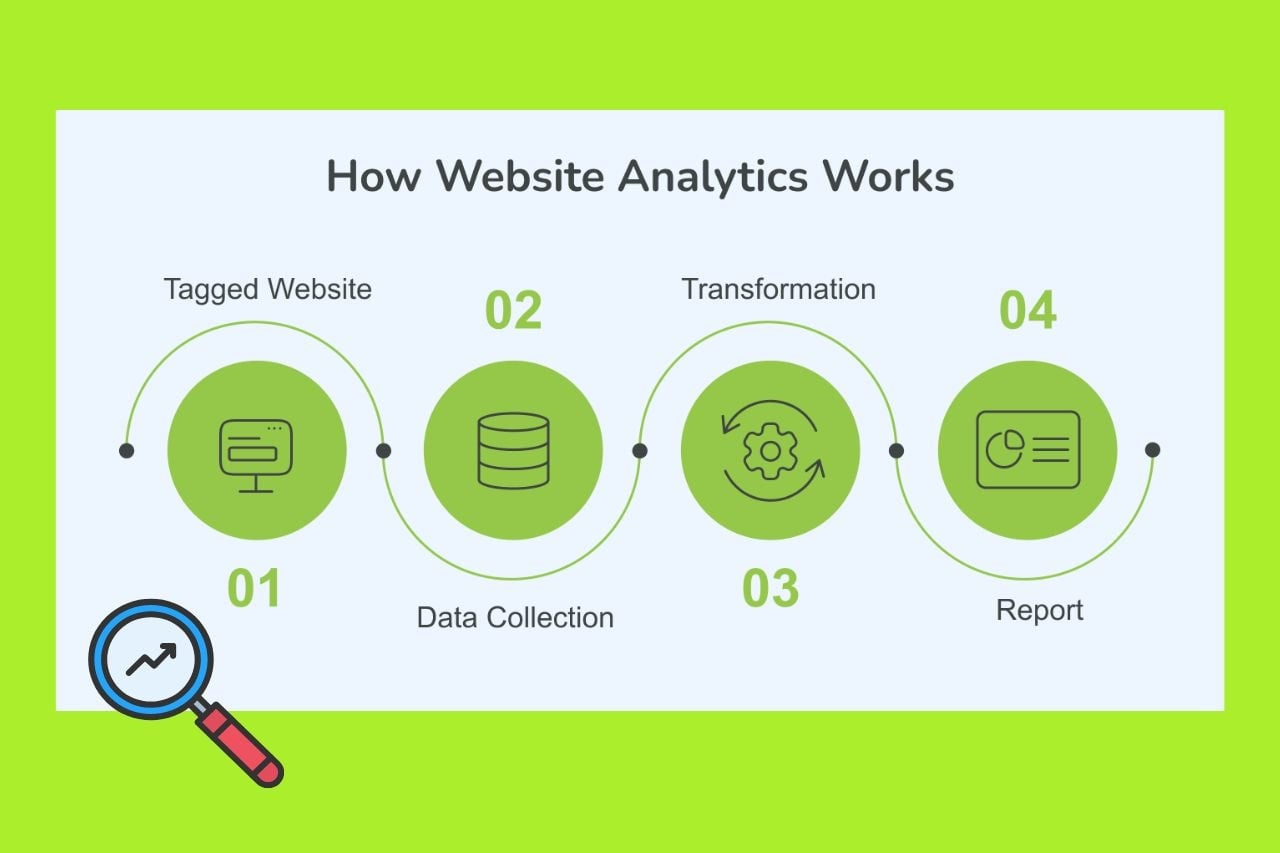
Here are the top types of website analysis that you can perform on your website:
Seo Analysis
This is a process that involves assessing the website’s visibility on search engines and its compliance with seo best practices. So a typical seo analysis will include the proceeds.
On-page SEO: Here, you need to focus on optimizing elements like titles, headings, meta descriptions, and content for targeted keywords.
Off-page SEO: You are supposed to be analyzing backlinks and external factors that impact your website’s authority and rankings.
Technical SEO: Now, you need to be checking your site’s technical aspects, like website speed, mobile-friendliness, and crawlability, to ensure they meet search engine standards.
Local SEO: Here, you need to analyze your website’s visibility in local search results, which is crucial for businesses targeting local customers.
When conducting seo analysis, follow these steps in order to make sure your website seo is good.
→ Try to find and add long-tail keywords to make sure it’s not difficult for your page to rank for competitive keywords.
→ You can create a keyword map that helps you discover where to optimize, what content you should be making, and where you can add new pages to attract new traffic
→ You can generate and submit a sitemap to search engines like Google and Bing to tell them which pages to crawl.
→ You can create a Robots.txt file so that search engines know which pages shouldn’t be crawled
→ Don’t forget to utilize analytics tools like Google Analytics, Search Console, and Bingmaster tools to get invaluable insights about your site’s performance.
Conversion Rate Optimization(CRO) Analysis
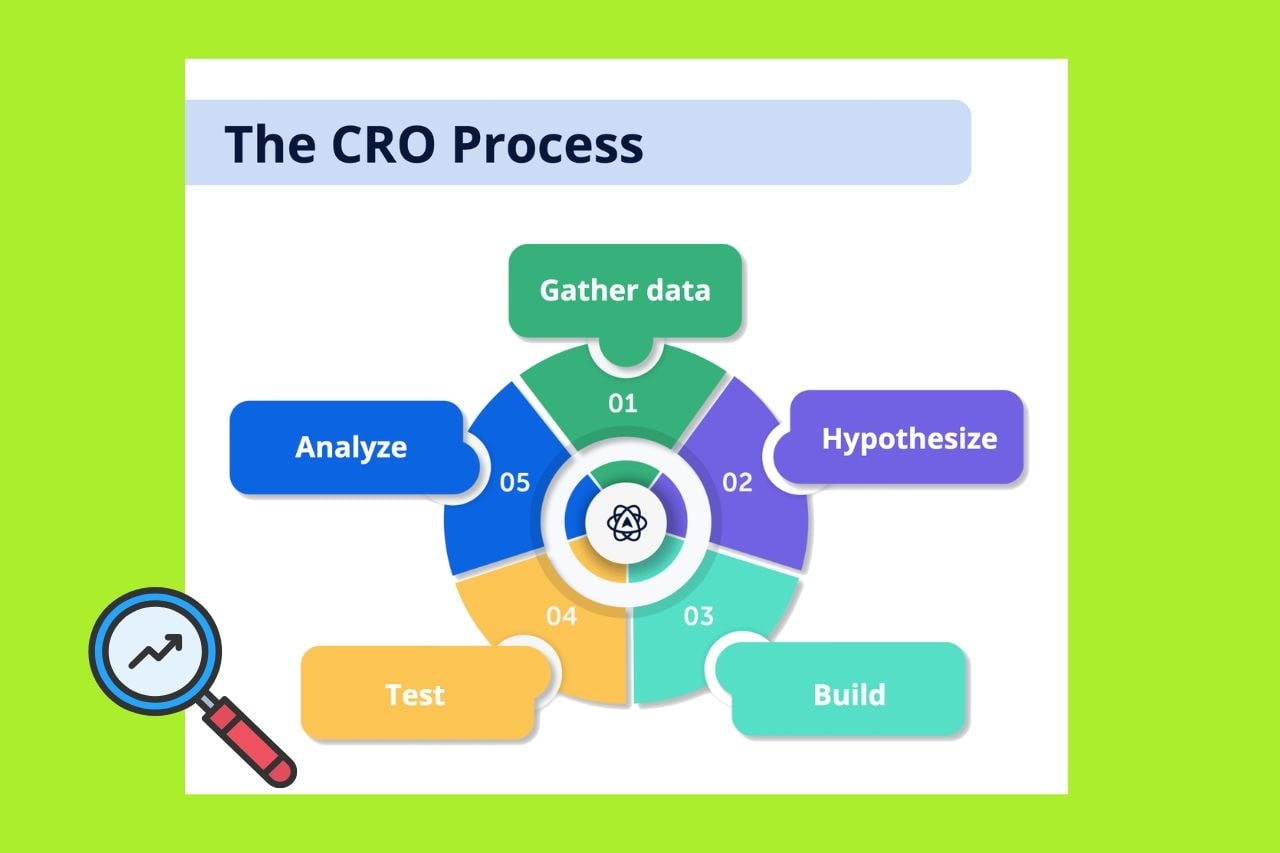
CRO is conversion rate optimization, and this audit involves taking a 360-degree view to evaluate your site. You will get to identify and eliminate conversion blockers and increase sales. But CRO is not as simple as it is a broad field. You need to focus on your traffic and messaging to succeed with your analysis.
→ You can follow these tips when conducting a CRO analysis for your website:
→ You need to have a goal and define key conversion goals, like reducing cart abandonment on checkout.
→ You need to focus next on priority pages. So, conduct an audit on pages that drive conversion, like product and category pages.
→ You need to understand the user behavior by conducting user research. For this, you can launch polls, surveys, and questionnaires. Now, using analytics, you can understand user behaviors.
→ You need to run A/B tests and your ideas against the existing design to see if it works or not.
→ You need to document every step of this process and write down what you learned from the A/B tests.
Performance Analysis
This is a simple analysis where you need to check the website’s speed, loading times, and overall responsiveness. You also need to check if there are any broken links or links that affect your overall performance. Try to increase your website speed as it can affect the conversion rates by up to 20%.
Usability Analysis
This analysis is all about evaluating a website’s interface to see how online visitors respond. The two critical areas of usability analysis of your website are functionality assessment and expert review.
Functionality assessment: This is where you ask three major questions, and you can use tools like Qualaroo, UsabilityHub, and UserTesting to conduct this type of website analysis:
Are the website functions discoverable?
Can my website visitors use those website functions easily?
Are the buttons and links on my website working?
Expert review: Expert review helps detect issues with website design and helps create educated changes to improve site usability. If you want to conduct an expert review of your website, you can use the heuristics developed by Jakob Nielsen and look for any violations of these rules in your site’s design and functionality.
Jakob Nielsen’s Heuristics are:
→ You need to always keep users updated about what’s happening by providing timely and appropriate feedback.
→ Try to use language, symbols, and concepts that are familiar to users, and follow real-world conventions to make interactions intuitive.
→ You need to allow users to easily undo and redo actions, and provide clear ways to exit or back out of unwanted situations, like offering an emergency exit.
→ You should always maintain uniformity in design by adhering to established platform and industry standards, ensuring users don’t have to wonder if different words or actions mean the same thing.
→ For error prevention, you need to utilise design interfaces in a way that minimizes the chances of user errors before they occur, rather than just providing good error messages.
→ Reduce the need for users to remember information by making important elements, options, and actions visible and easily accessible.
→ You can support both beginners and advanced users by allowing customization, shortcuts, and accelerators to speed up frequent actions.
→ Try to only present essential information and elements, avoiding unnecessary clutter that could distract or overwhelm users.
→ When errors do occur, you can provide clear, easy-to-understand messages that help users identify the problem and guide them toward a solution.
→Lastly, you need to ensure that help resources and documentation are easy to find, concise, and focused on the user’s task when assistance is needed.
Content Analysis
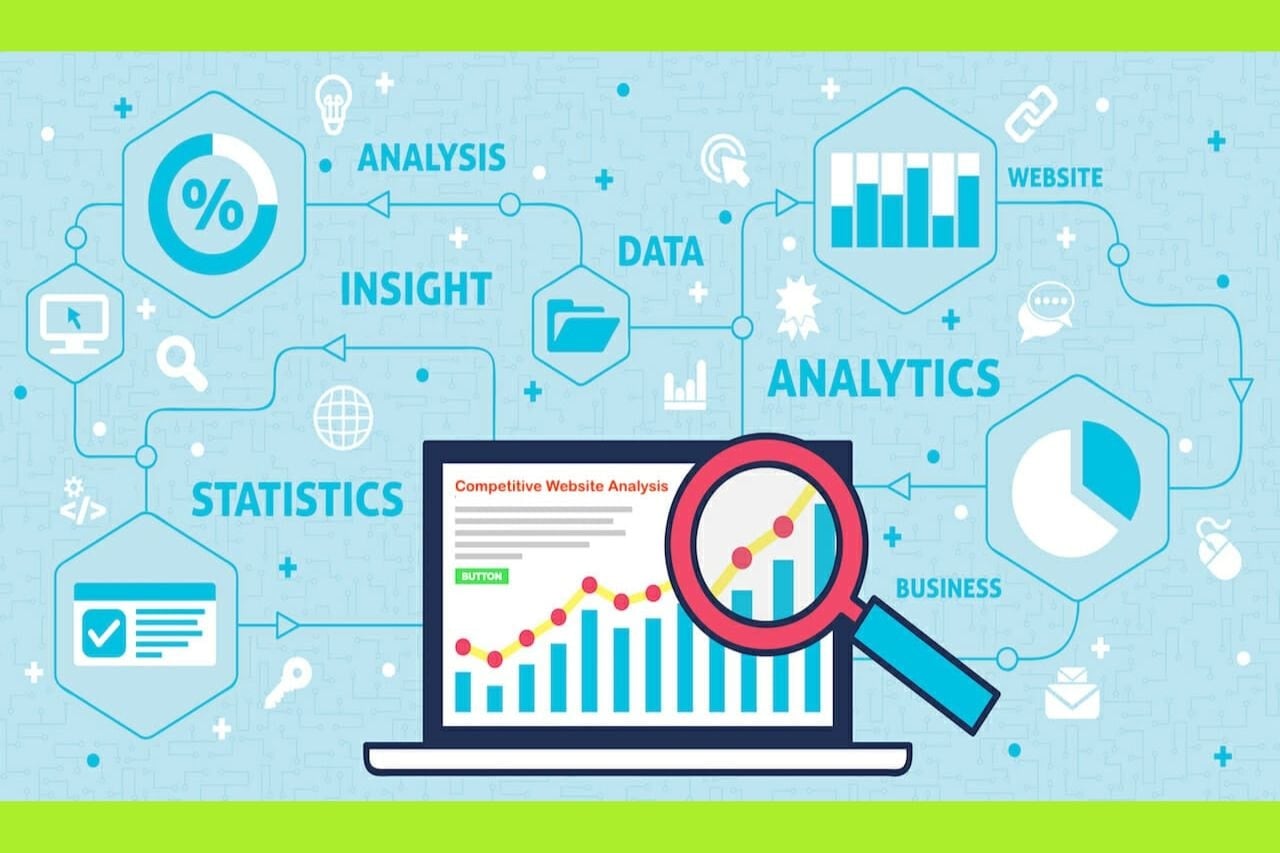
This involves you analyzing your content and blogs. It’s all about examining the quality and SEO optimization of the website’s content. You can check out the blog frequency and write informative and engaging content aligned with the target audience’s interests.
Customer-led website analysis
Now you can do this simple customer-led website analysis when you evaluate your website through the lens of your site visitors. This means your website analysis and optimization aren’t based solely on external audits like competitor analysis, web traffic, or SEO. You can instead investigate your site visitors by looking at how they got to your site. This is an interesting way to find out what they really want from your site and experience your site in a different way.
How Customer-Led Analysis Differs from Regular Website Analysis
Customer-led analysis centers on user satisfaction and experience, while traditional analysis often emphasizes technical performance and general metrics.
Instead of just measuring visits and bounce rates, customer-led analysis digs deeper into how and why users interact with your site the way they do.
Unlike regular analysis, which relies mostly on quantitative data, customer-led analysis actively incorporates qualitative feedback from users to guide improvements.
Customer-led analysis specifically examines how well the site adapts to individual users, a factor often overlooked in standard website reviews.
How to Do Customer-Led Website Analysis
→ Start by prioritizing the customer’s perspective. Evaluate your website through the lens of your users, focusing on their needs, expectations, and overall satisfaction.
→ Use analytics tools to track and study how visitors interact with your site. Pay attention to navigation paths, click-through rates, time spent on pages, and engagement with various elements.
→ Incorporate methods like surveys, interviews, and usability testing to collect firsthand feedback from real users. This helps uncover pain points and areas for improvement that analytics alone might miss.
→ Examine how effectively your website tailors content and experiences to individual users. Look for features like personalized recommendations, customized content, and adaptive interfaces based on user history and preferences.
User-driven Website Analysis
A user-driven analysis in website analysis is where you focus on the website performance from the perspective of real users, rather than just relying on technical metrics of SEO data. Here are the key points you need to keep in mind
→ Creating detailed profiles of typical users based on demographic and psychographic data to understand their goals, motivations, and pain points.
→ Mapping the steps users take on the site to identify friction points, drop-offs, and opportunities for improvement.
→ Watching real user interactions to see how they navigate, where they click, and where they encounter issues.
→ Collecting direct input from users about their experiences, what brought them to the site, and what obstacles they face.
→ Tracking engagement metrics like time on site, click-through rates, and conversion funnels to understand user actions and preferences
Tools and Software for Website Analysis
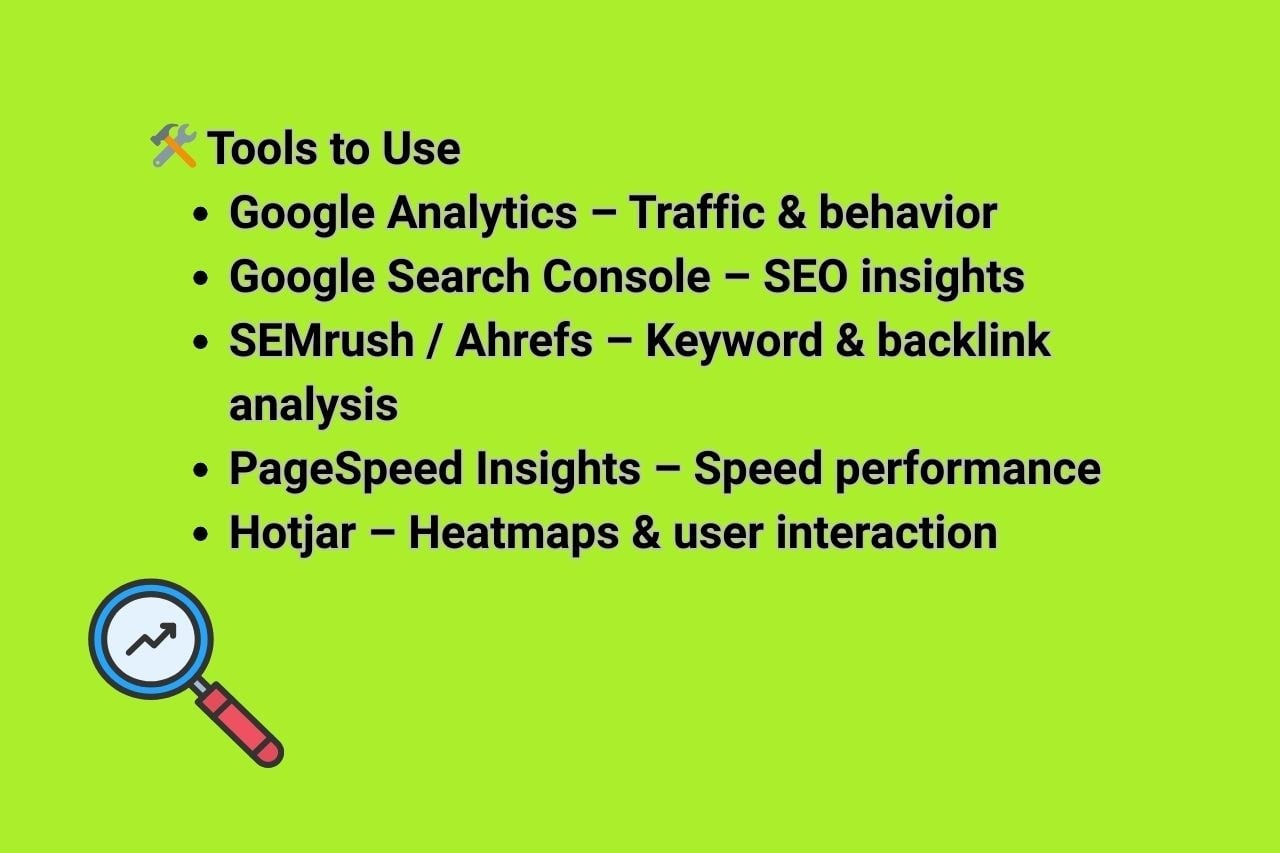
You need to be aware of the tools available online to help you have a smoother website analysis. Here’s an overview of the tools that will prove to be helpful in different parts and aspects of website analysis
SEO Tools
Google Search Console (GSC): A free search engine optimization tool by Google for monitoring website performance in search results, diagnosing SEO issues, verifying page indexing, and analyzing backlinks and keyword rankings.
SEMrush: Known for its robust suite of SEO tools, SEMrush is invaluable for keyword research, competitor analysis, and site audits. It helps you identify issues that could be hindering your search engine rankings and offers actionable insights to fix them.
SirLinksalot: We are a powerful SEO tool and web analysis platform, especially renowned for our managed link-building services. It helps businesses and SEO professionals achieve higher search engine rankings by providing high-quality backlinks from thoroughly vetted, real websites, ensuring only authoritative and relevant links are used. This focus on quality over quantity protects sites from harmful links and aligns with best SEO practices, boosting organic traffic and keyword rankings.
SE Ranking: An all-in-one website SEO checker and a comprehensive website audit tool. It assesses your site using 120+ parameters and provides detailed reports, sitemap generation, and more.
Screaming Frog SEO Spider: A powerful crawler for conducting a technical SEO audit, traffic analysis, identifying broken links, generating XML sitemaps, and analyzing metadata and meta tags.
Ahrefs Site Audit Tool: This tool is particularly known for its user-friendly interface. Ahrefs detects over 100 technical issues and groups them into easy-to-understand reports. Ahrefs also helps you with backlinks, analyzes your competitors’ websites, and finds your opportunities for link building.
GTmetrix: Want to know how fast your website loads? GTmetrix provides detailed reports on your page speed and offers recommendations for improvement, making it easier to optimize your site’s load times.
Google PageSpeed Insights: A free tool that analyzes webpage loading speed and provides suggestions for improvement based on real user data from the Chrome browser.
Pingdom Speed Test: Another tool for testing page speed, grading pages from 0 to 100, and providing key metrics pertaining to your website’s performance. It’s free and doesn’t require a login.
Tools for Conversion Rate Optimization(CRO) Analysis
Hotjar: Understanding user behavior is crucial, and that’s where Hotjar comes in. This tool provides heatmaps, session recordings, and surveys to help you understand how visitors interact with your site, allowing you to make data-driven decisions.
FullStory: Platforms like FullStory capture every user interaction on your website, providing insights into user behavior and potential issues.
Competitor Analysis

Competitive analysis involves analyzing competitors’ websites to identify keyword opportunities, backlink profiles, and other SEO strategies. If you have a tough niche to crack into, conducting a competitor website analysis is also okay. Here are the three areas you can study on your competitor’s website:
Organic Traffic
Understanding your competitors’ organic traffic, like the keywords they are ranking for, helps you boost your own website’s traffic. You can use several keywords to analyze the SEO of your competitor to drive long-term growth and attract more visitors to your site.
Customer Demographics
If you conduct the right research to understand the customer demographics of your competitors, you will understand specifics about what their audience is looking for. Analyze social media presence, engagement rates, and how competitors integrate social channels with their websites.
PPC
We know how many businesses run ads to supplement their organic efforts. If you have noticed your competitors running strong ad campaigns, you can study their ad funnel, creatives, and audience segments.
Tools like iSpionage and SEMrush can reveal:
→ Which keywords do competitors bid on
→ The creatives and landing pages used
→ Duration and frequency of PPC campaigns
→ Updating and maintaining your website
If someone thinks updating means just adding new content, well, it’s not only about that. It’s also about ensuring that everything works optimally and functions properly. You need to do regular updates and maintenance to help prevent security vulnerabilities and improve overall performance.
Here are the things you can do:
Routine content updates: As you are aware, search engines love fresh content, so regularly updating your blog, product descriptions, and other site content can improve your search engine rankings and attract new visitors. For this, you need to audit and remove outdated information from your site.
Security checks: You need to regularly update your software, including the content management system, plugins, and themes, to patch security vulnerabilities.
Performance monitoring: Like I mentioned, you need to keep utilizing tools like Google Analytics and Search Console to monitor your site’s performance. Pay attention to metrics such as page load times, bounce rates, and user engagement.
Technical SEO audits: You need to regularly conduct SEO audits to identify and fix technical issues like crawl errors, missing meta tags, and duplicate content. This maintains your website’s SEO health and improves its visibility on search engines.
Mobile friendliness: You need to ensure your website is fully responsive and mobile-friendly. Search engines prefer sites that load fast when used on mobile devices. So regularly test your site on different screen sizes and devices to ensure it’s performing well across all platforms.
Conclusion
Website analysis should not be taken lightly. It plays a major role in making sure your website stays ahead of the competition. With ever-changing trends and AI integration, website analysis is becoming more sophisticated now. You need to make sure your broken links are rectified, simple mistakes are found, and comprehensive speed tests are performed to ensure your website runs smoothly.
So, analyzing and optimizing your website is not a one-time task; you should consider it frequently and commit to excellence. You need to address every bit and corner of elements, from server performance to content quality, while adhering to the latest SEO practices.