Key Takeaways
- An interstitial ad that looks harmless on a desktop monitor can cover the entire screen on a phone — and Google notices.
- Google has ranked down intrusive mobile interstitials since January 2017, and mobile-first indexing has only raised the stakes.
- The penalty specifically targets the moment someone lands on your page from a Google search result, not every pop-up on your site.
- You can audit your own site for this problem in under five minutes, using nothing but your phone.
- Swapping intrusive pop-ups for mobile-friendly formats protects your rankings — and protects the link authority you’ve worked to build.
Pull up your website on a laptop right now. See that small ad in the corner? Easy to ignore. Barely noticeable.
Now open that exact same page on your phone.
That “small” ad just swallowed the whole screen. Your headline, your offer, your actual content — all buried under a pop-up with a microscopic “X” you can barely tap with your thumb.
This isn’t just annoying. It’s a Google ranking penalty waiting to happen, and it hides perfectly from anyone who only ever tests their site on a desktop monitor.
Let’s find it before Google does.
What Exactly Counts as an Interstitial Ad?
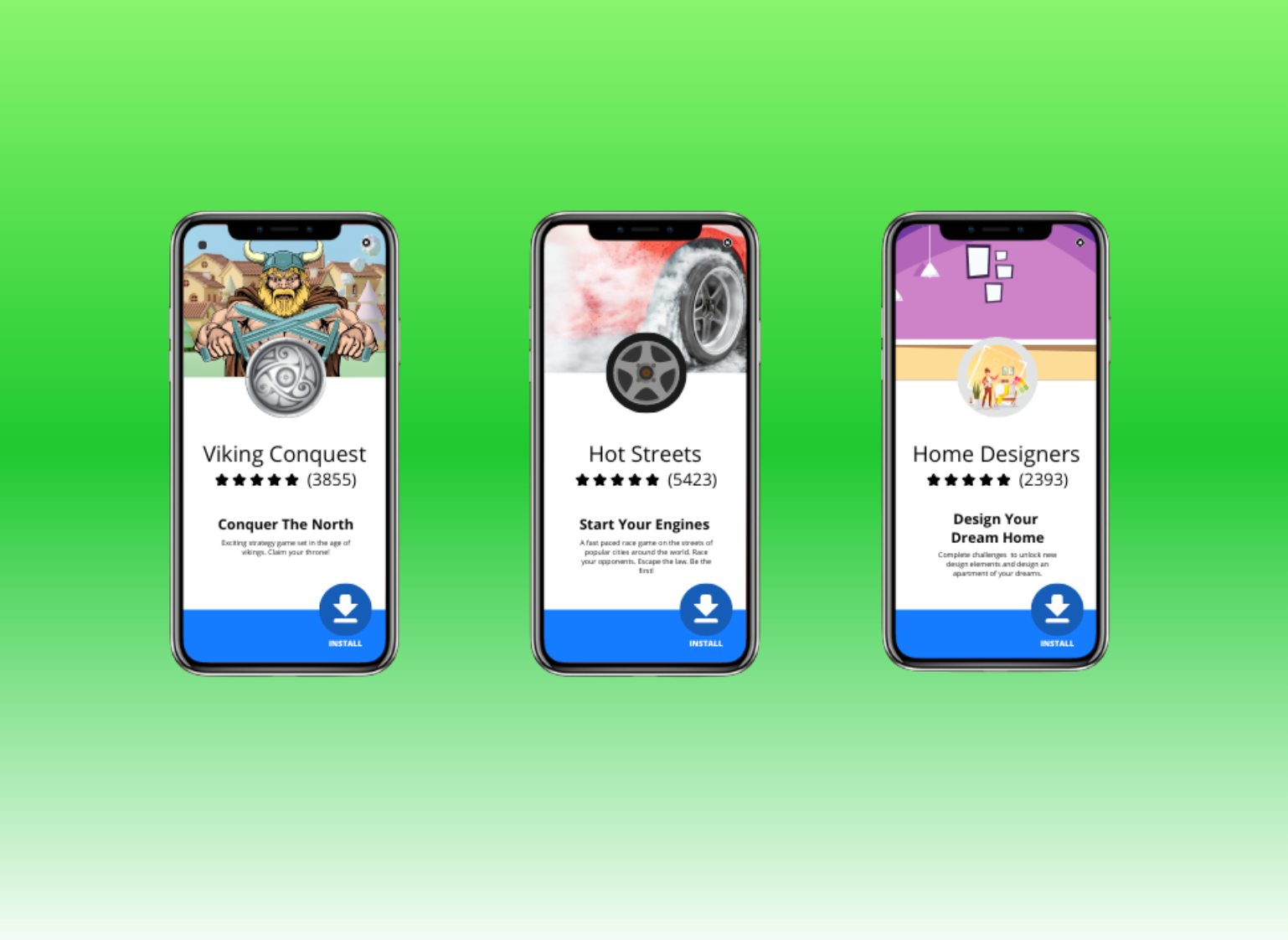
An interstitial ad is anything that shows up “in between” — between the moment someone clicks your link and the moment they actually reach your content.
On a desktop screen, a 400×300 pixel pop-up is a small nuisance. On a phone, that same pop-up can be the entire viewport.
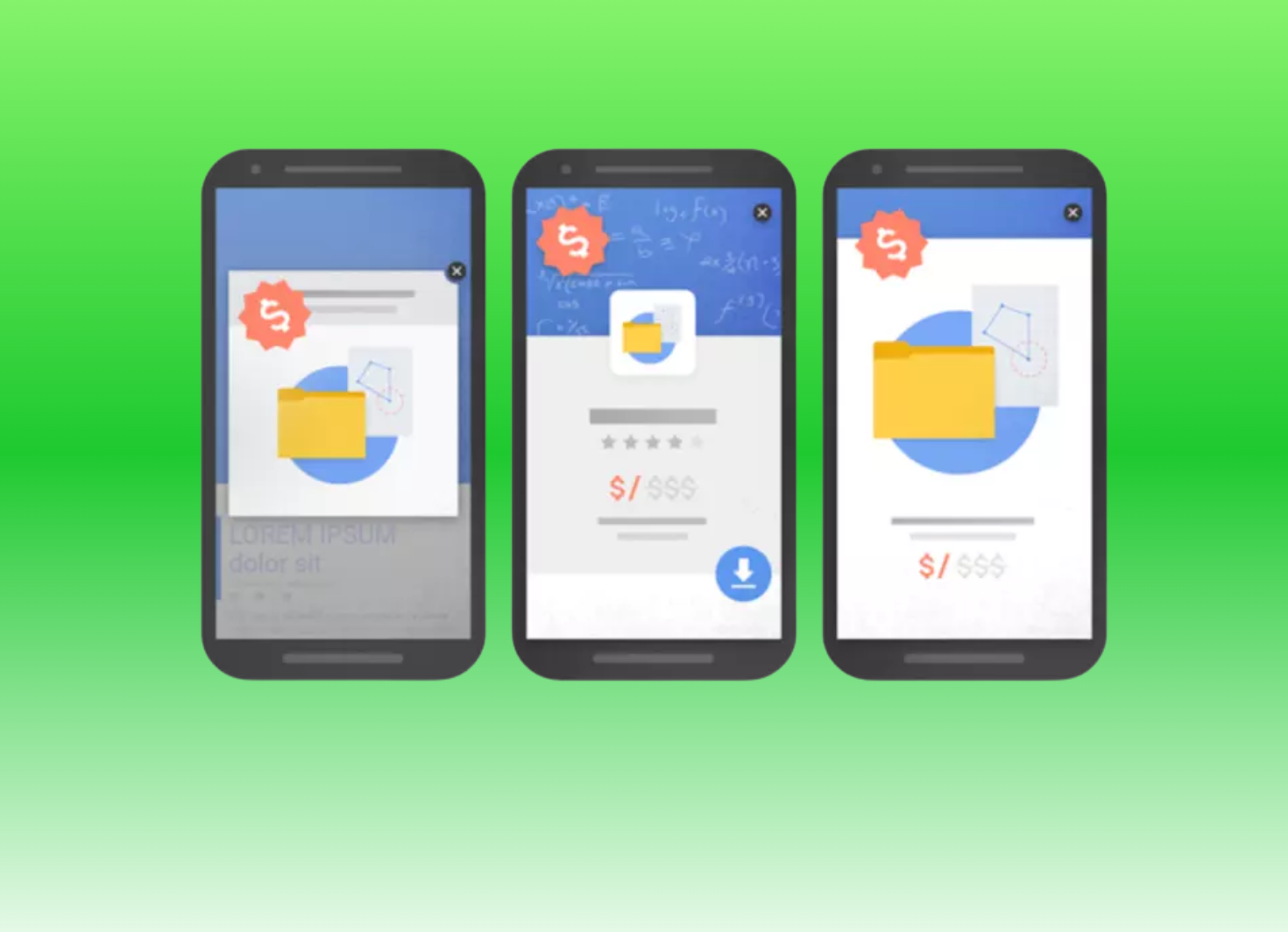
Google groups the problem into three specific patterns:
- A pop-up covering the main content, either right after someone arrives from search or while they’re scrolling.
- A standalone interstitial the visitor has to close before seeing anything else.
- A page where the top portion looks like a full-screen ad, with the real content pushed further down.
Not every pop-up breaks the rules, though. Cookie notices, age-verification gates, login screens for private content, and small banners that don’t block the page are all exempt.
Why Google Started Cracking Down on Mobile Pop-Ups
Google’s reasoning comes down to one thing: trust.
When someone taps a mobile search result, they’ve already made a decision. They want your content, right now, on a screen roughly the size of a credit card.
An interstitial breaks that promise the instant it appears.
Starting January 10, 2017, Google began weighing mobile content accessibility directly into rankings. Sites that blocked content with an intrusive interstitial stopped counting as “mobile-friendly,” full stop.
The rule is scoped more narrowly than most people assume. It only fires on the transition from a Google search result. A pop-up two clicks deep into your site sits outside this specific penalty.
Don’t get too comfortable, though. Page experience and Core Web Vitals still grade the whole visit, not just that first click.
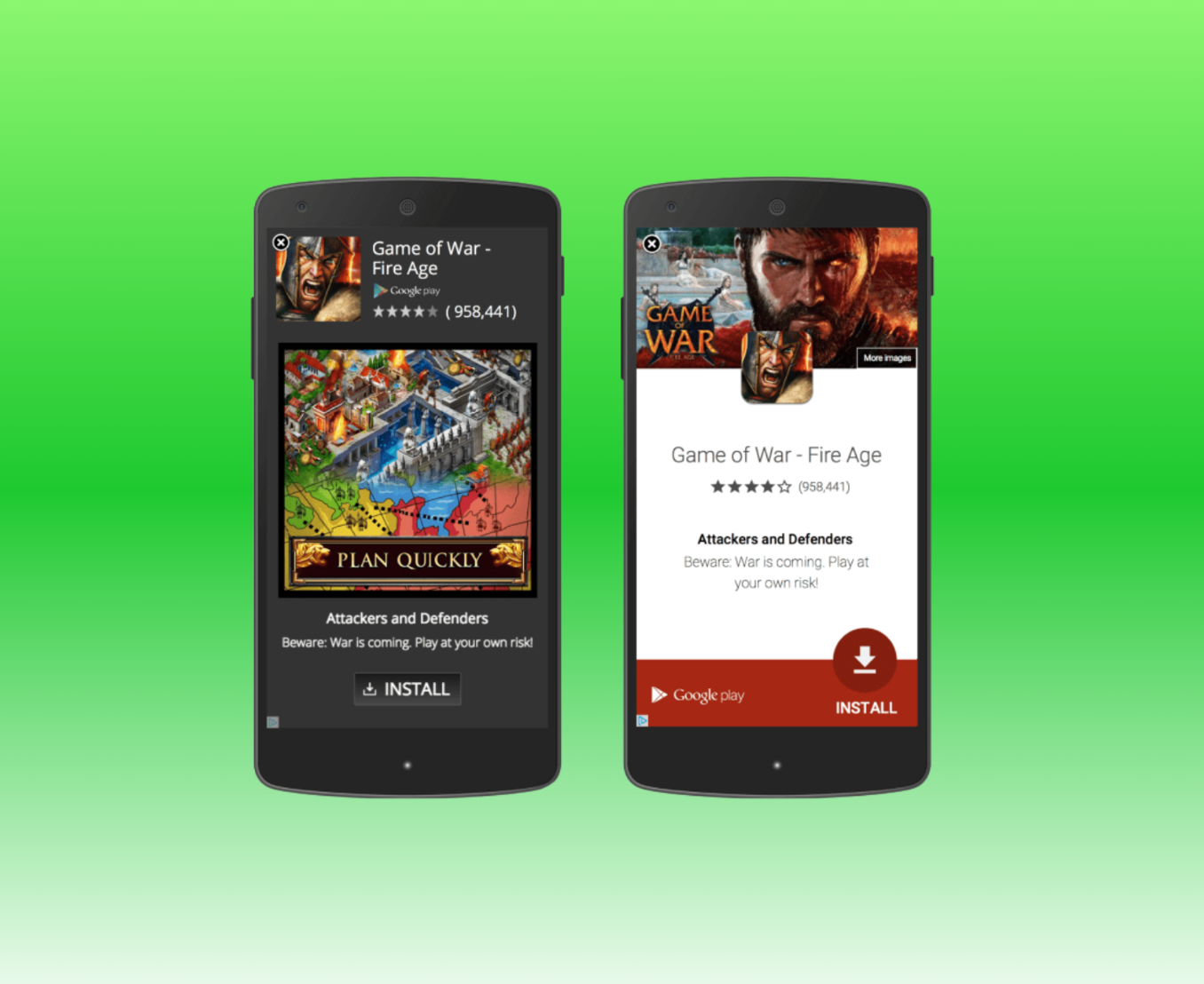
Here’s a scene you’ve probably lived through: you search for a recipe, tap a promising result, and instead of ingredients you get a full-screen “Get Our App” banner covering everything. That exact pattern is the textbook violation Google built this rule around — and it’s still shockingly common on recipe blogs and news sites today.
Internal Google documentation that leaked in 2024 reportedly confirmed the mechanics behind this. Pages can carry a flag for violating mobile interstitial policy, plus a severity score. Google also tracks something SEOs call “pogo-sticking” — when someone taps your result, hits a wall of ad, and bounces straight back to search. That single bounce is a bad signal, and it compounds across your whole domain.
The aftermath, according to marketers who tracked their own sites through the original 2017 rollout: rankings dropping by ten spots or more in mobile search, practically overnight.
Do This 5-Minute Phone Test to Audit Your Own Site
Here’s the part most guides skip: how to actually check.
Grab your phone and do this:
- Open Google and search for one of your own pages. Don’t type the URL directly — tap it from the actual search results, the way a real visitor would.
- Watch the first three seconds closely. Does anything cover the screen before you’ve read a single sentence?
- Scroll through the whole page. A pop-up that fires halfway down still counts.
- Try to close it. If you’re hunting for a tiny “X” with your thumb, that’s your red flag.
- Repeat on a second device if you can. Android and iPhone don’t always render the same ad script the same way.
One more move worth making: open Google Search Console, use the URL Inspection tool, and run a live test. It shows you the page exactly the way Googlebot’s smartphone crawler sees it — which sometimes reveals a script your own browser never triggers.
Mobile Ad Formats That Won’t Tank Your Rankings
Here’s the good news: you don’t have to choose between ad revenue and rankings. You just have to choose smarter formats.
Swap-out checklist:
- Anchor banners — small bars pinned to the top or bottom of the screen, roughly 320×50 pixels. They stay visible without ever blocking your content.
- In-content native ads — styled to match your site and placed between paragraphs. They tend to outperform banners precisely because they don’t feel like an interruption.
- Exit-intent pop-ups — triggered when someone is about to leave, not the second they arrive. Google has confirmed these sit outside the interstitial penalty entirely.
- Scroll or time-delayed offers — wait until a visitor has read 50-70% of the page, or spent 20-plus seconds on it, before showing anything.
- Reasonably sized banners — a common industry rule of thumb keeps any dismissible banner under roughly 15-25% of the screen.
This matters even more once you’ve invested in real authority. If you’re building your domain up with niche edits and guest posts through SirLinksALot, you’re essentially digging a moat around your brand — one that makes it a lot harder for competitors to out-rank you.

But a moat doesn’t help much if visitors bounce the second they land. Every link is meant to send a real, qualified reader to a page that actually converts them. One oversized interstitial ad quietly cancels that investment out, one mobile pogo-stick at a time.
Conclusion
Mobile-first indexing isn’t some future update to prep for. Google finished that transition years ago. The mobile version of your site is your site, as far as rankings go.
One oversized ad — completely invisible on your desktop monitor — can be the difference between a visitor reading your content and a visitor bouncing straight back to Google.
Audit your site from your phone today. Swap anything intrusive for a format from the checklist above.
And if you’re serious about mobile dominance, pair that clean mobile experience with the kind of authority-building links SirLinksALot has spent over a decade helping brands earn. Guest posts, niche edits, and a link profile built to hold up the traffic once it actually arrives — because a moat only protects a castle that’s still standing.
FAQs
Does every pop-up hurt my rankings?
No. Cookie notices, age gates, and login screens for private content are all exempt. The penalty targets pop-ups that block content for no legal or functional reason.
Will this penalty tank my whole site?
It’s page-specific, not site-wide. But if the same ad template runs across every page, the damage adds up fast.
Can I still use interstitials anywhere on my site?
Yes. Just not on the page a visitor lands on directly from Google search. Interstitials between internal pages, like a “next chapter” prompt, aren’t targeted by this rule.
How do I know if Google is even crawling my mobile version?
Check Google Search Console. Since 2024, every site is crawled and indexed using its mobile version by default — there’s no opting out.
Is an app-install banner considered an interstitial?
Only if it’s oversized. Small, dismissible native app banners, like the ones built into Safari and Chrome, are explicitly allowed.