What have you been using Google Maps for? Maybe just for finding directions when you’ve lost your way. Or just to find the time it’ll take you to travel from one place to another.
But have you ever thought about how greatly Google Maps can help you in your business? If you run a local business, showing up on Google Maps isn’t just an option—it’s a must.
It’s one of the easiest ways for people nearby to find you when they’re searching for what you offer. With the right local SEO tips, you can rank higher on Google Maps and get more customers walking through your door.
It all starts with understanding how Google Maps works and knowing how to make your business listing stand out. So, let’s find out how you can increase Google Map ranking for your business.
Why Focus On Ranking Higher On Google Maps?
Did you know that Google Maps is the go-to navigation application for almost 65% of people? Therefore, if your business is listed at the top, then you have a much higher chance of being seen and chosen.
Most don’t search by business name—they search by what they need, i.e., “coffee shop near me” or “dog groomer in (city]).”
In fact, roughly 85% of the time, they find businesses conducting keyword searches, not by typing in a specific name. That’s why it’s so important to rank high for what people are actually searching for.
Coming up first on Google Maps is basically like being on the busiest street in downtown—more people seeing you, more customers in your door.
Let’s say someone searches “nearby barber shop” on Google and your store comes up first on the map. There’s a pretty good chance they’ll pick you. People tend to trust the top of the search and don’t scroll down too far past it.

Besides that, the things you do to be higher-ranked, like getting more reviews or putting in useful details, make your listing even better. That’s more ways people can discover and engage with your business. And with over 80% of customers using Google Maps to find businesses, that’s a lot of potential.
Showing up higher means that more people can find you, visit your location, view your website, and maybe even shop with you. That’s why businesses really want to show up in the top spots on Google Maps—it’s extremely important.
Google Map Pack — What Is It?
The Google Map Pack—or Local Pack—is more of a VIP room for local businesses on Google’s search page.
When a user searches for something such as “pizza near me” or “[your city] plumber,” Google emphasizes a special top box with the three top-rated local businesses that match the search. The box shows their names, star rating, opening hours, and even a small map indicating where they are.
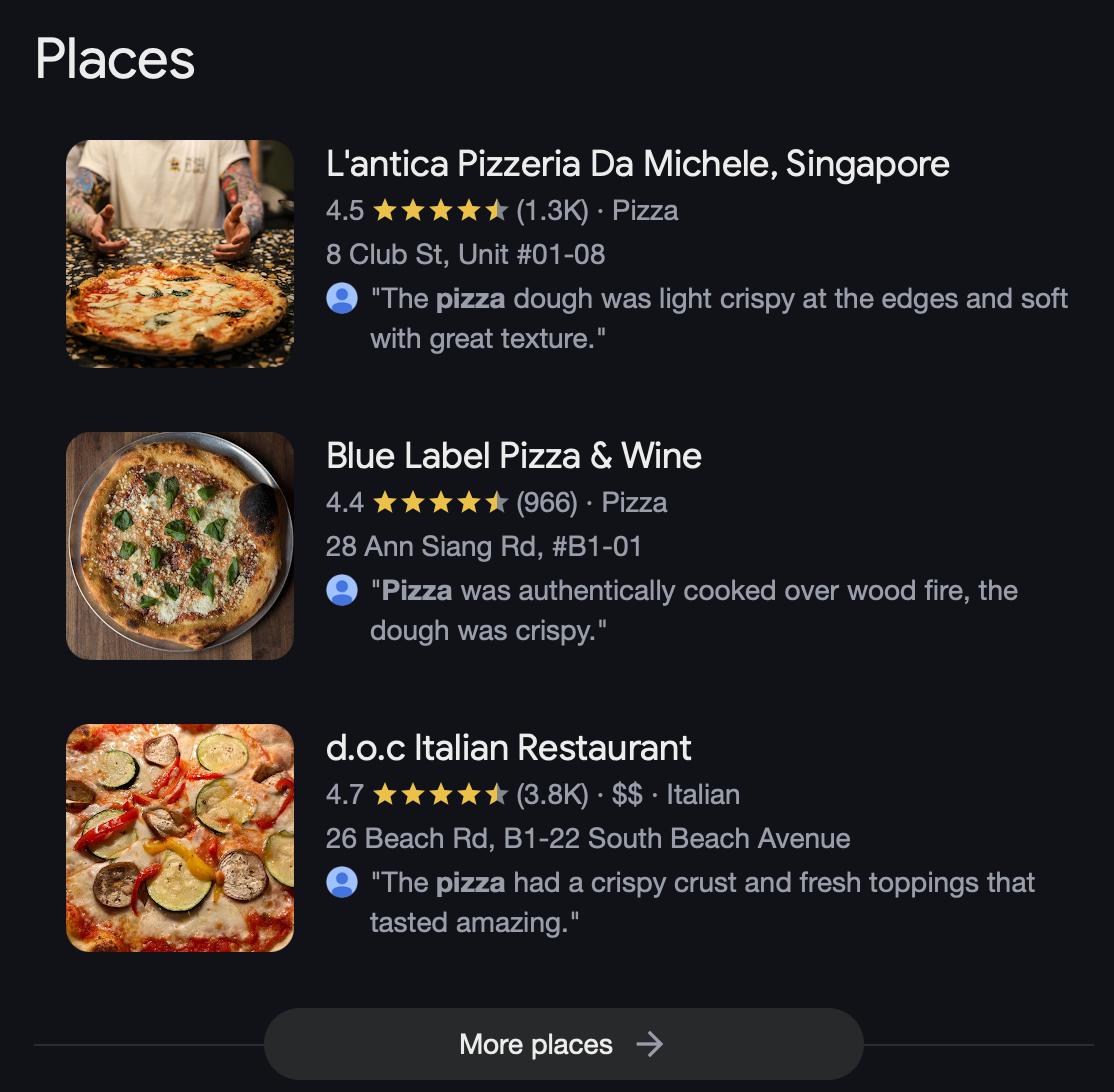
It’s actually very helpful for humans as they can now compare options readily without needing to click on multiple sites. And for businesses, making it to the top 3 is a big win—more people look at you, call you, visit your store, or see your site.
Which is why showing up in the Map Pack is a big deal—it drops you right into where your customers are looking.
To get more visible, trustworthy, and trafficked, your business needs to show up on the top 3 spots in Google’s local search results—or the Google Map Pack.
You have a ton of variables affecting your rank, but some stuff is particularly prevalent when it comes to local SEO, like:
- Effective and good backlinks
- Your Google Business Profile (GBP)
- Relevant and updated content on your website
- Customer reviews
- Consistent NAP info (Name, Address, Phone) and local citations
Also, since most people now search using “near me” on Google Maps, showing up in that top 3 is key to winning local customers and staying ahead of the competition.
What Is A Google Business Profile And Why Is It Important?
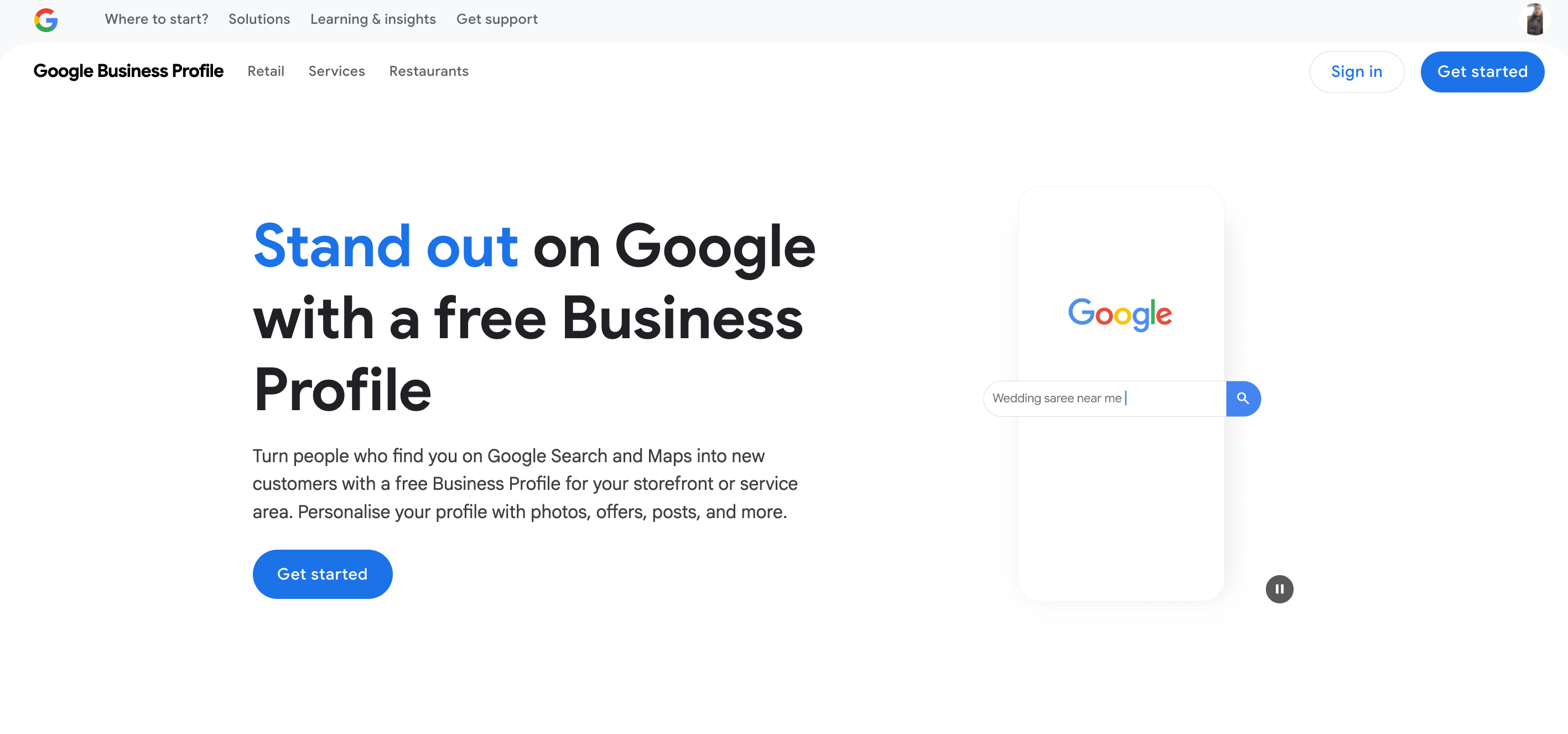
You can manage how your company shows up on Google Maps and Search by creating a Google Business Profile.
Having a verified profile makes it easier for people to find you, regardless of whether you operate a physical store or provide services at client locations. It also fosters trust by demonstrating that your company is reputable and well-established.
Creating a Google Business Profile (GBP) and claiming your place on Google Maps is the first step in starting local SEO.
Google will validate your listing after you’ve added your company details and selected the appropriate category; typically, this is done by sending a postcard with a secret PIN to your business address. To finish the process, simply input that PIN.
You can, at times, be presented with faster choices, such as instant verification, phone, or email.
Once the listing has been verified, you are the legal owner and can make any necessary updates to the hours and photos. To monitor clicks, views, and engagement metrics, keep an eye on your dashboard.
You give Google more indications that your company is legitimate and deserving of a prominent place in the Maps Pack, the more active you are—answering reviews, adding updates, and maintaining current information.
Just keep in mind that GBP is just one component. You must also control both your on-page and off-page SEO if you want to see tangible results.
Tried & Tested Tips To Rank Higher on Google Maps
Ranking among the top on Google Maps can do wonders for your company. Not only is it excellent for visibility, but it can quite literally bring in more money for you and make things more convenient for your customers, too.
What follows are some suggestions that we’ve tested ourselves and are confident that they’ll prove to be just as helpful to you!
1. Add Your Business To Google Maps Listing
Before you can start climbing the Google Maps ranks, you need to ensure your business is even listed in the first place. Take the following steps:
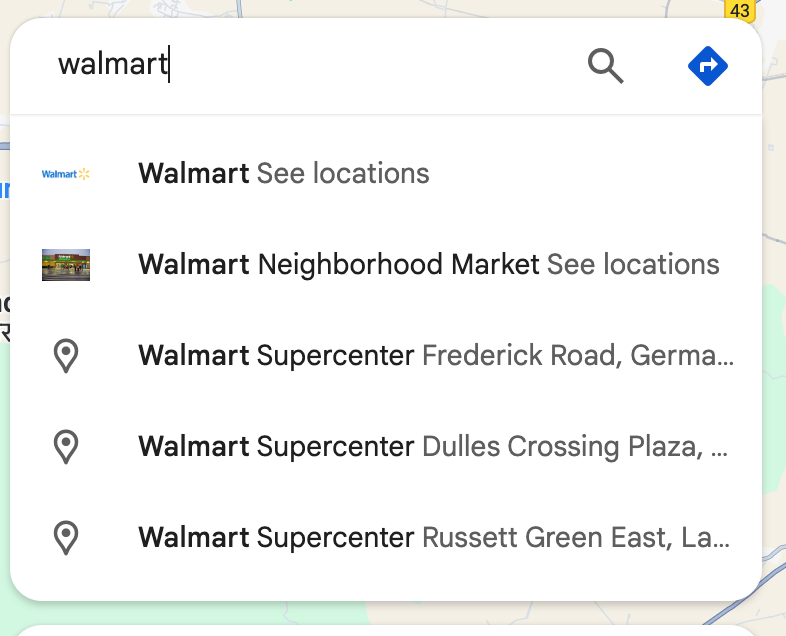
The first step? Type in your business name in Google Maps to check if it already appears.
For example, I looked up Walmart and it showed me various locations where the business is located at.
But if your business isn’t listed yet, don’t worry—you can list it yourself in a few minutes.
Here’s how to do it on your computer:
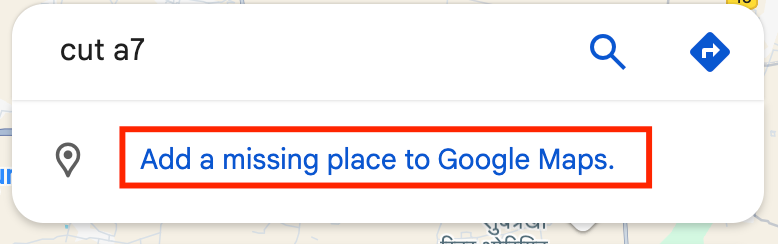
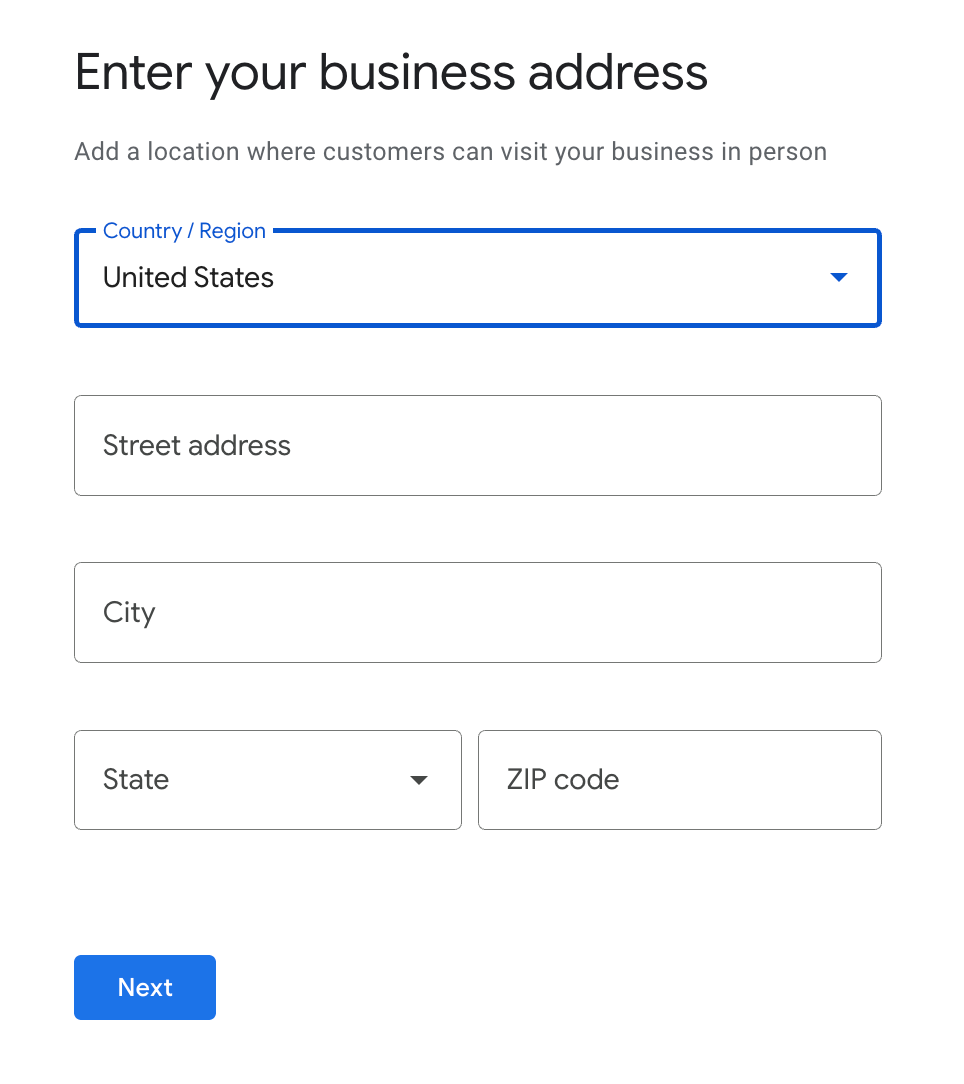
1) Type your business name into the search box. If the location isn’t added, it will ask you to add your business.
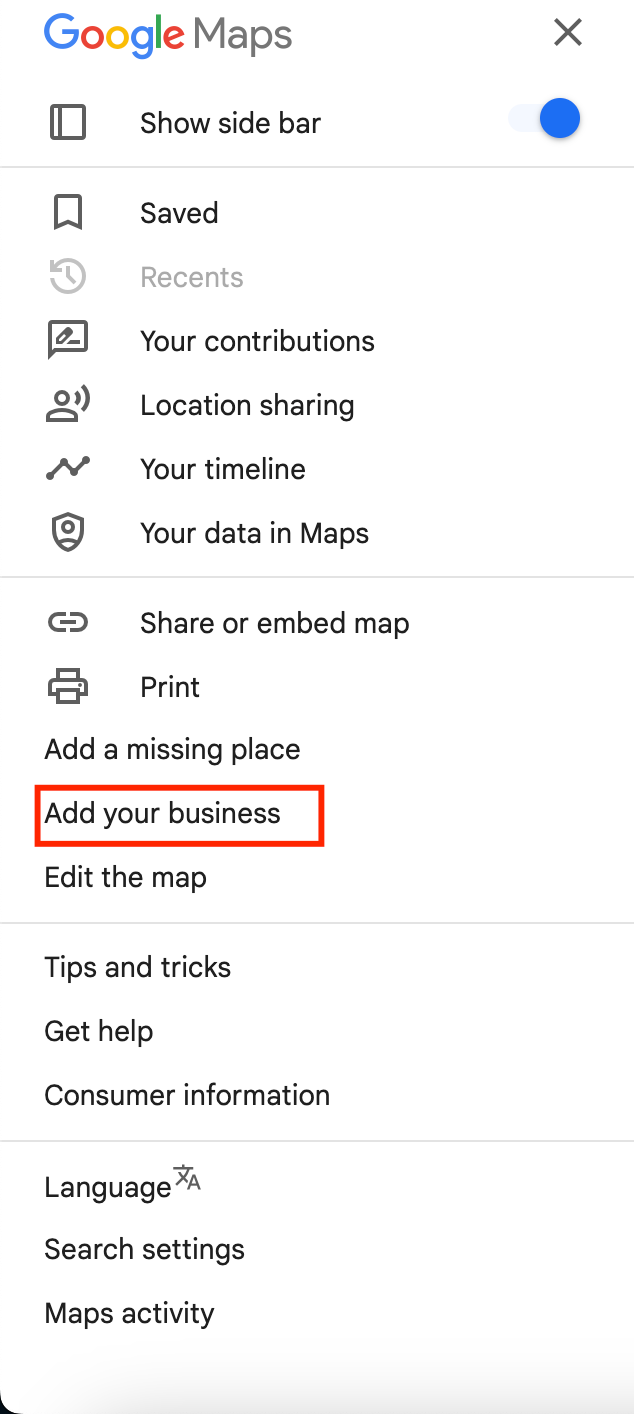
2) You can do it in some other way, too. On the left-hand side, click on the three-line navigation button, and there you will find an option to “Add your business.”
3) Once done, follow the steps ahead to set up your Google Maps business listings and add it to Google Maps.
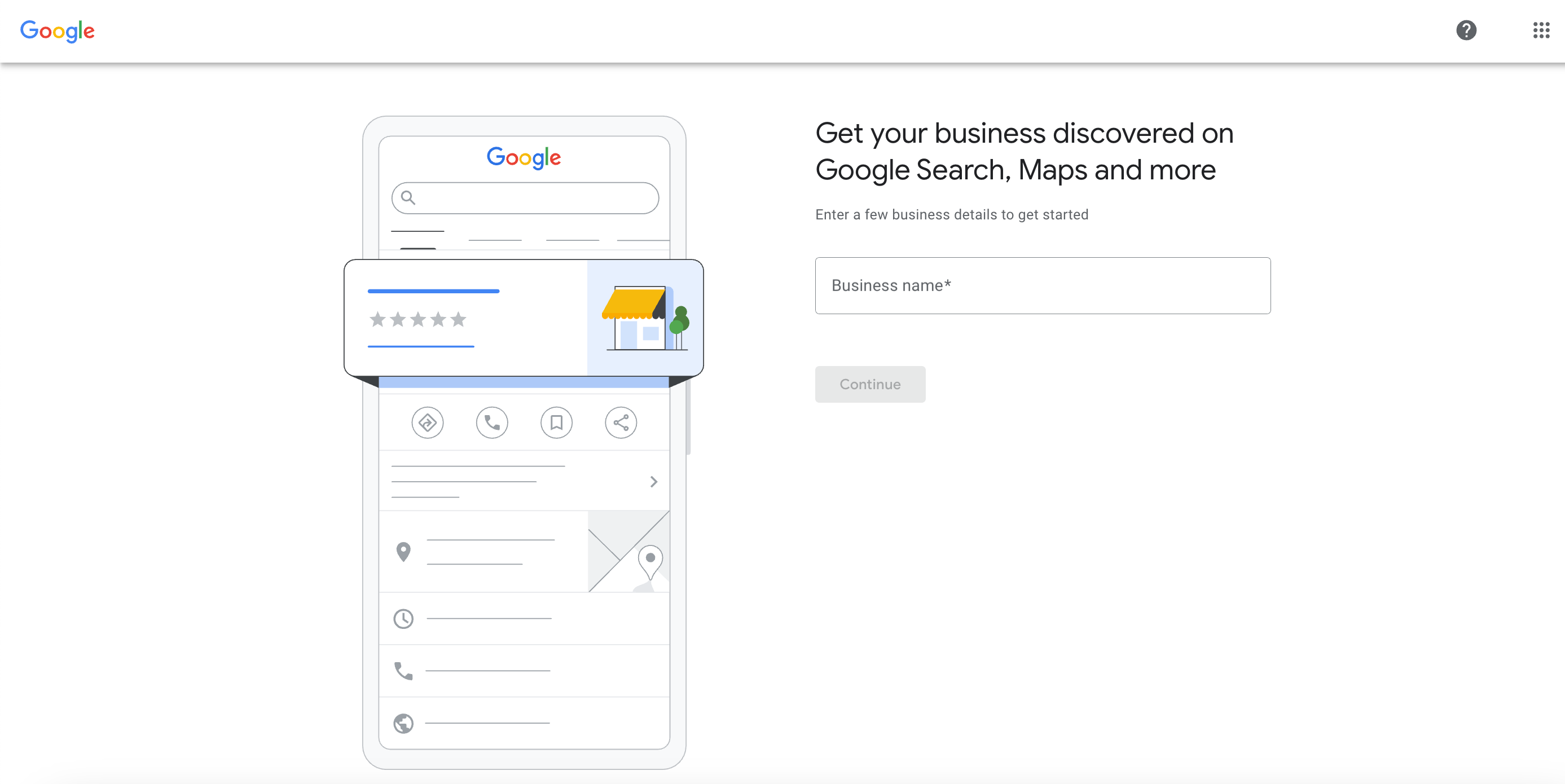
When you add your business, make sure you enter your business name exactly as it looks on your storefront and branding. If you change the name after you’ve ordered a verification letter, you’ll have to begin again.
And remember, anyone can add a business on Google Maps, so check if yours is already added. But don’t worry—only the owner who claims the listing and verifies ownership has control.
2. Make The Listing Your Own
After you’ve added your business on Google Maps, the next step is to claim it. When you’ve created your listing for the first time, you can only put in the basics—name, category, and location.
However, if you claim it, you have complete access and can put in a lot more information. The more you put in, the higher the possibility of ranking better.
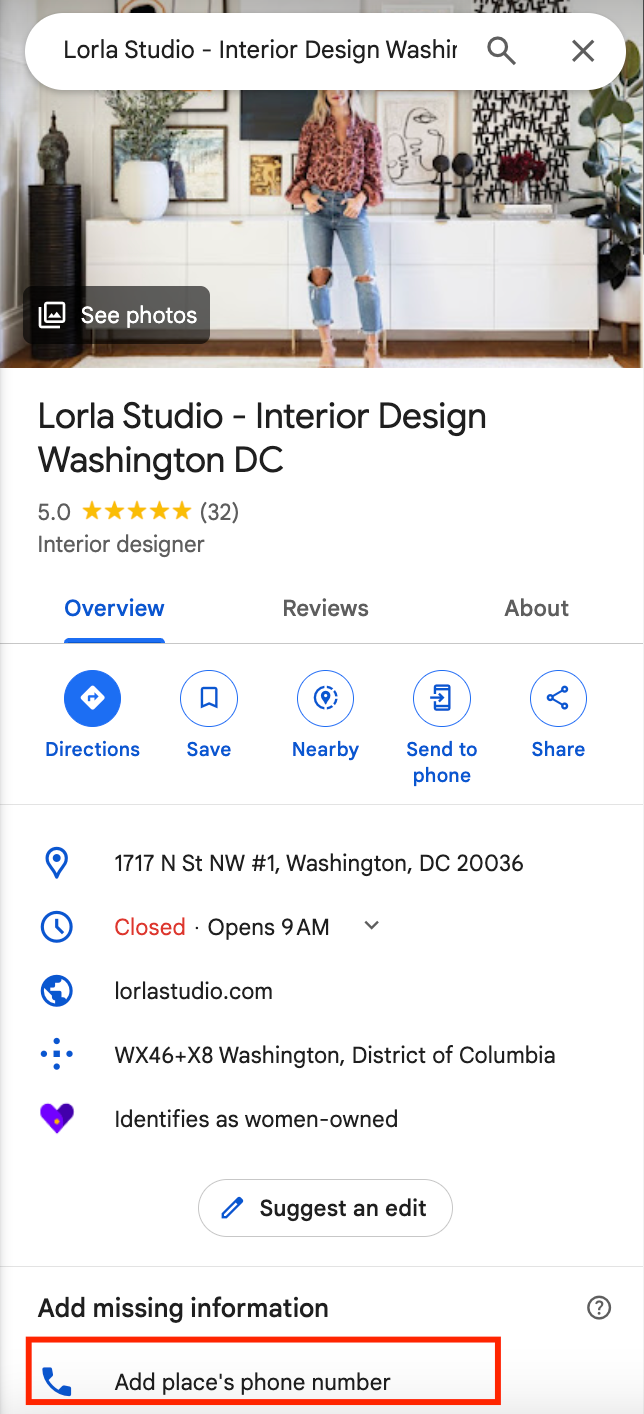
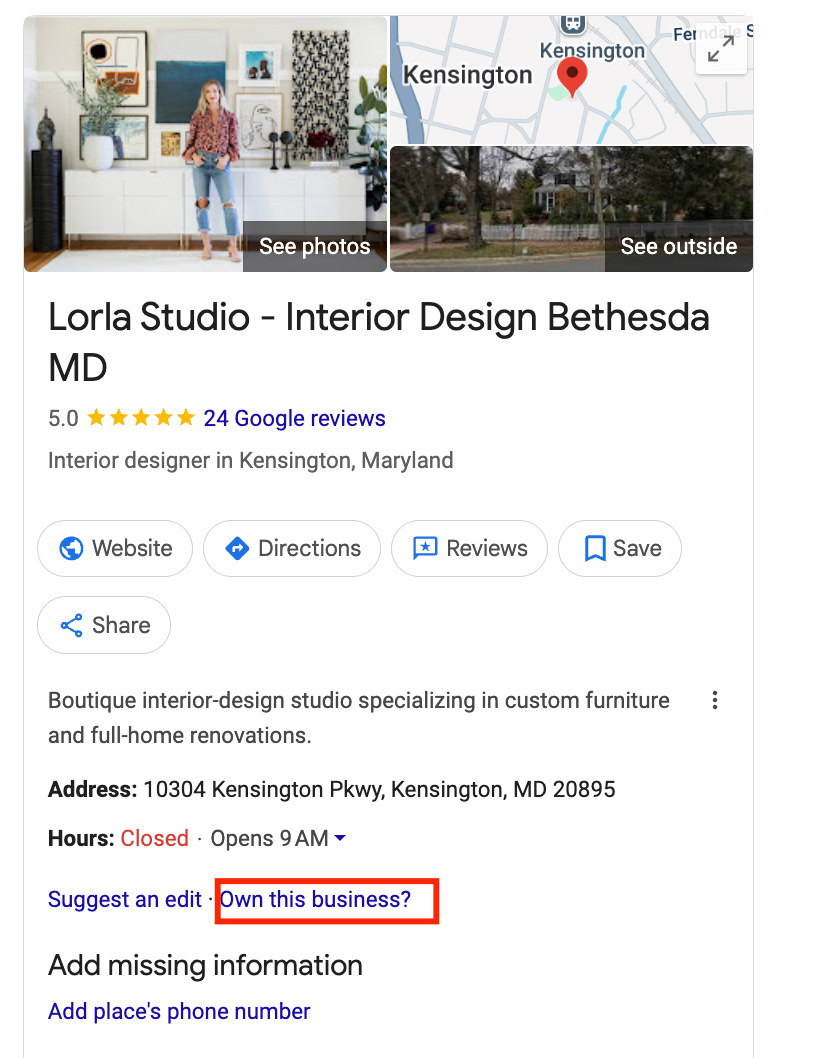
You can also search for your business listings on Google Search, after which your business listing will be shown. You’ll see an option for “Own Your Business”. Click on it and update your Google Business Profile account.
After you’ve claimed it, you can fill in so much more detail, which helps to boost your ranking. Also, you won’t be able to finish most of the next steps until your listing is claimed correctly.
Google may take up to a week to confirm your verification. If it doesn’t, you’ll see a “Get verified” button once more—just try a different method.
3. Work On Your Google Business Profile
Once Google verifies your Business Profile, you can start updating it to keep everything accurate.
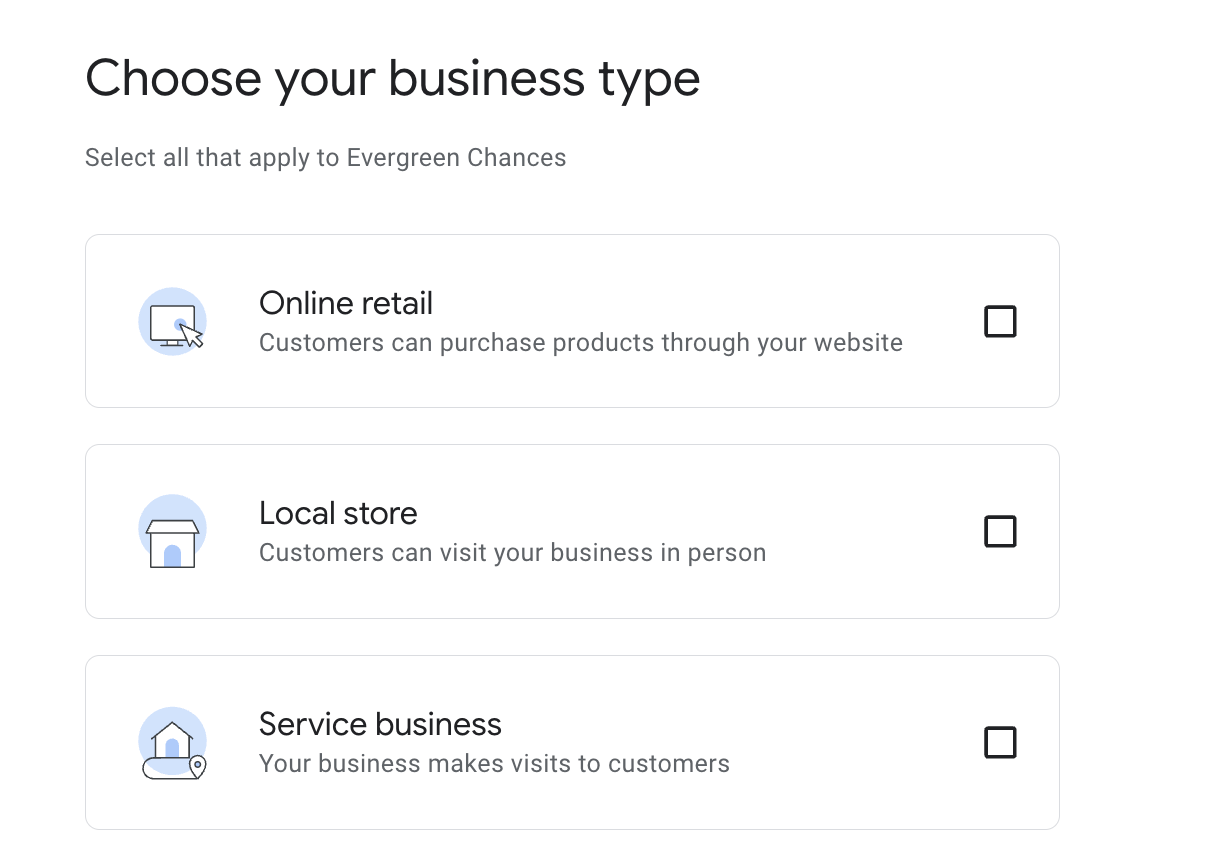
To make changes right from Google Search or Maps:
- Find your Business Profile.
- Click “Edit profile” (on Search or Maps).
- Update your info—like hours, location, contact details, or photos—and hit “Save” after each change.
Keeping your profile up to date makes it easier for new customers to find you and see what you offer.
Next, let’s look at what changes you can make to really optimize your profile.
Start With The Basics
One of the first (and most critical) things to do is ensure that all your information on Google Maps is accurate. Check your address, phone number, website, and logo. Even a tiny error, such as an incorrect digit in your phone number or an extra character in your email ID, can translate into lost calls and customers.
Better Your Business Description
Your business description plays a significant role in getting you listed on Google Maps. Make sure you have one, and make sure it includes keywords that people will be looking for.
Take a look at what your competitors are doing—what words are they using that are making them rank higher?
Websites like Localo are capable of scanning high-ranking profiles and showing you exactly what words to use. Then, from there, you just craft a description that best describes your business while including as many of those helpful keywords as possible.
Stuck on where to start? You can even use AI tools to get suggestions for an impactful, keyword-driven business description.
Use The Right Title
Your company name is one of the key ranking signals in Google Maps, so make it right.
Start with your company name, but if it’s suitable, add no more than 3 keywords that can enhance visibility—don’t overdo it, however.
There are many tools online that will tell you if your title is long enough and what keywords your highest-ranking competitors are using at present.
You can then optimize your title so that it will stick out without looking unnatural or spammy. Think about getting it clear, keyword-wise, and brand-loyal.
Keep Your Name And Address Consistent
Google has to rank businesses that it trusts, and one of the things it looks for is whether your business details are consistent across the web.
If your business name, for instance, is Sunny Side Pet Grooming, make sure that’s exactly what you put everywhere—not SunnySide Grooming or Sunny Side Pets. Same with your address—use the same format (such as “Avenue” instead of “Ave”).
Consistency will make Google recognize and trust your business, and this can boost your ranking on Maps.
Include Local Phone Number
Use a local number instead of a toll-free number. Google likes local numbers because toll-free ones are typically used for spam. Having a number with your area code not only boosts your Google Maps listing but also signals to customers that you’re really in the area.
Keep Your Business Hours Updated
Verify that your Google Maps business hours are always correct. Your ranking may suffer, and customers may become confused if your hours are out of date because Google indicates to users whether you are open, closed, or about to close.
Even worse, a negative review could be left by someone who visits when you’re closed. Maintaining up-to-date hours shows your activity to Google and builds trust.
Choose The Right Category
Selecting the correct category for your company on Google Maps is crucial for ranking. Your main category must be similar to what your company is really about—like “Bakery,” “Greenhouse,” “Auto Repair Shop,” or “Hair Salon.” You might include a couple more (related) categories as secondaries.
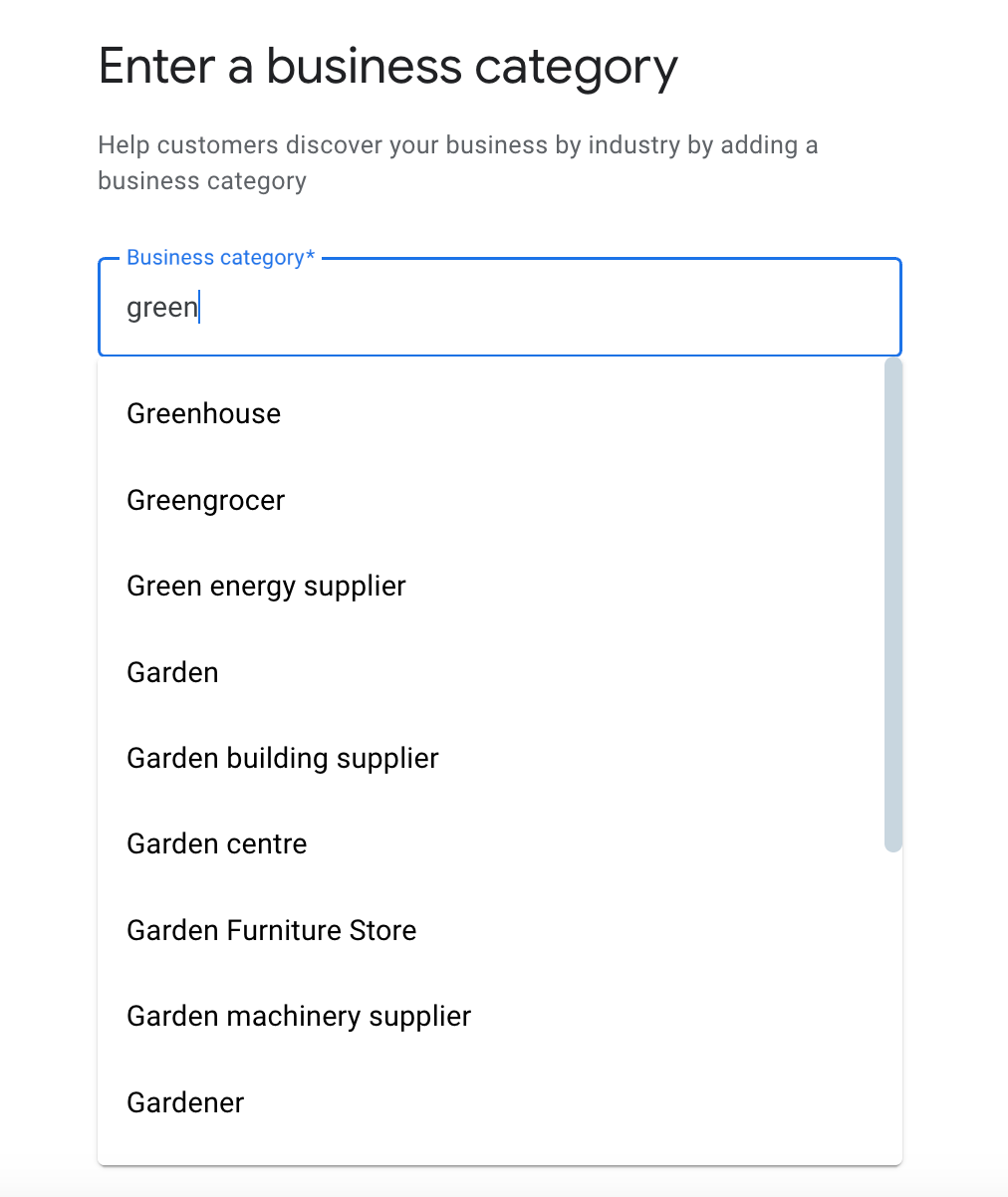
You can’t create your own category, but when you start to type, Google will show you options to pick from. Just select the relevant ones!
Add Your Website, Socials & Photos
Next, let’s finish setting up your Google Business Profile with the extras that really make it shine.
Website: Add your main site, and if it applies, include links for things like online orders, bookings, or appointments. It makes life easier for your customers.
Social Media: In some areas, you can link your social profiles like Facebook, Instagram, TikTok, and more. Google may even start showing your recent posts right on your profile.
Photos & Videos: Add clear, real-life photos of your storefront, products, or services. This helps people recognize your place and builds trust.
- Photos: JPG or PNG, 720×720 px is ideal.
- Videos: Keep them under 30 seconds, no larger than 75 MB, and at least 720p.
The more complete and helpful your profile is, the more likely customers are to choose you, and the better you’ll rank!
4. Get Reviews From Customers
Google reviews count a great deal when it comes to ranking higher on Google Maps. Google favors companies with loads of good feedback—it’s like a sign that individuals trust you.
Once your business is established on Google Maps, individuals can start leaving reviews automatically. However, don’t wait for them to come pouring in—request them!
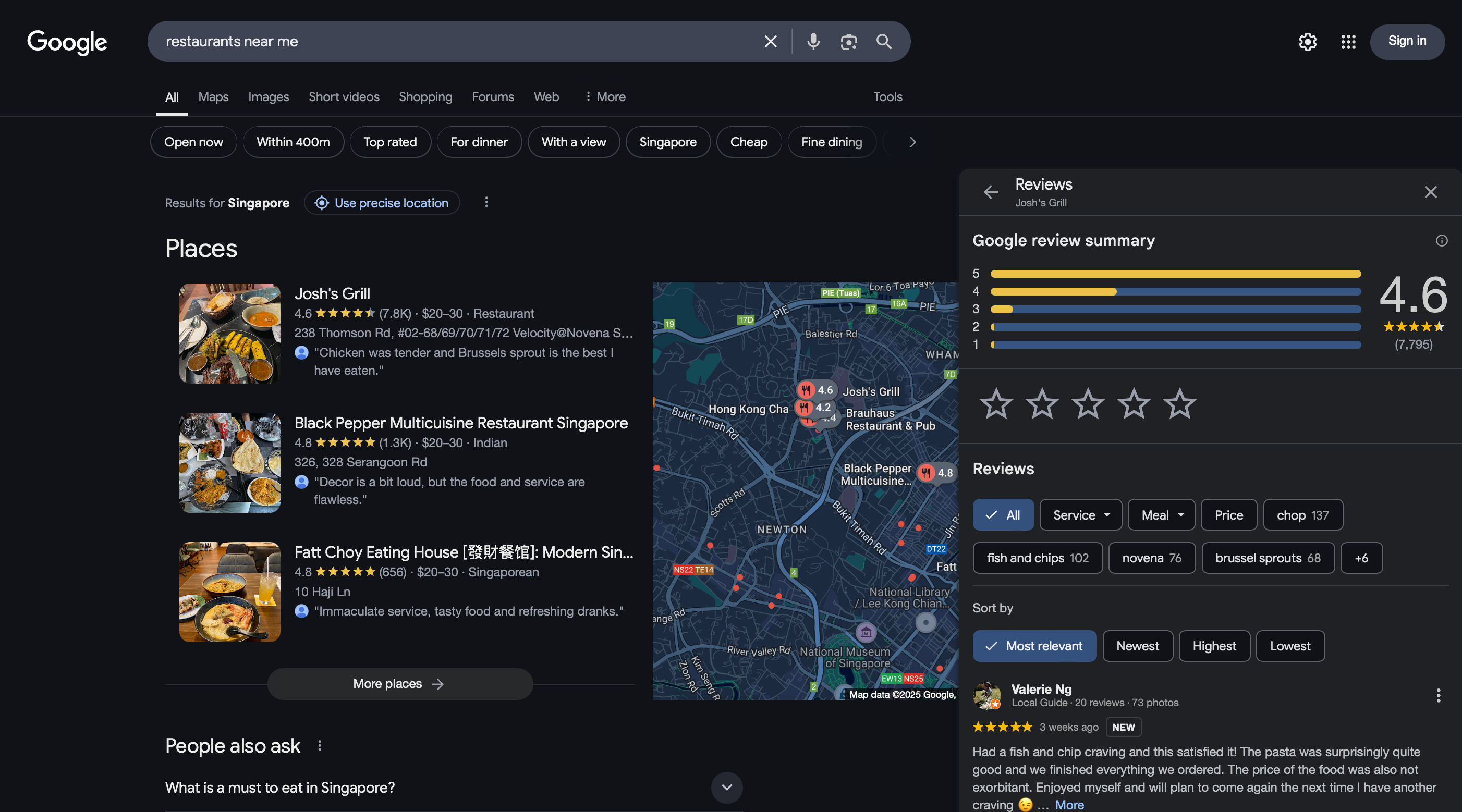
So, how do you get more reviews from your customers? Here are some ways to do so:
- One of the best times to ask for a review is right after a customer has had a good experience with your business. A simple, courteous request can go a long way to get customers to provide feedback.
- Another great way to get reviews is by putting your review link on thank-you emails. When a customer orders or purchases a service with you, send them an email with a personalized message thanking them for their business and with a clear call to action asking them to leave a review. The simpler you make it for them, the higher the likelihood that they will do so.
- Including a link to your review in thank-you emails is another excellent strategy for obtaining positive reviews. Send a customized email to your customers after they place an order or use your services, thanking them for their business and asking them to leave a review. They are more likely to do so if you make it easier for them.
Now, once you get the reviews, make sure you always respond to them, whether it’s good or bad because it shows that you care.
- Thank the reviewer and thank them by name if you can.
- Comment personally on their review. This can be a compliment or something humorous.
- Stay calm and professional even if the review is negative.
- Invite them to contact you or come back soon.
5. Integrate All Your Business Listings
Google doesn’t like multiple listings for the same business, especially if there are different phone numbers or addresses. To rank better, make sure you have only one accurate listing by removing duplicates and unnecessary information.
6. Add A Q&A Section in Your Google Business Profile
You can answer frequently asked questions about your company by including a Q&A section in your Google Business Profile.
You can gain the trust of potential clients and show them what makes you unique by giving them concise, helpful responses. Additionally, it shows your responsiveness to Google, which can improve your Google Maps ranking.
7. Be Regular In Publishing Posts On Your Website
Regular posting on your Google Business Profile is a smart way to improve your local SEO. According to studies, companies with accurate and comprehensive Google Business Profiles have a 70% higher chance of receiving location visits and a 50% higher chance of generating a sale.
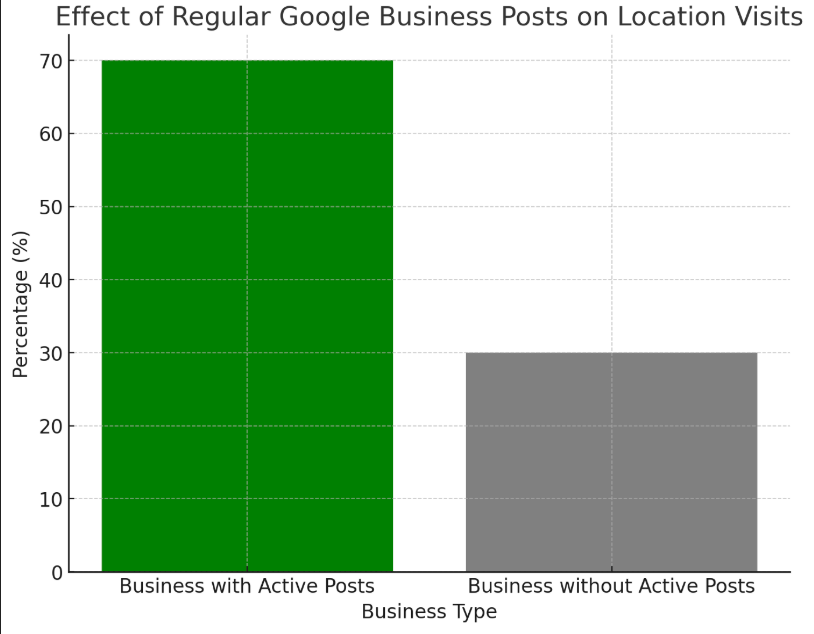
Posting events, promotions, and news makes your page dynamic and active, and this signals to Google that your business is on time and in order. Such activity can grow your visibility within local search results and the Google Maps 3-Pack, wherein most users would look for businesses to visit.
It’s basically a free and effective way to connect with potential customers and enhance your online presence.
8. Add Google Maps To Your Website
Want to appear more on Google Maps? Add your business location onto your own website. You’ve likely noticed it on other websites—it’s the interactive tiny map indicating exactly where they are.
Here’s why it is important:
- Verifies that your location corresponds to your Google Business Profile
- Makes your business look more legit and trustworthy
- Makes it simpler for customers to find and visit you
If you want to know how to do it, here’s how:
- Look up your company on Google Maps.
- Next to your company name, click the three-line menu.
- Click “Share” and then “Embed a map.”
- Paste the code onto your contact page after copying it.
Simple, isn’t it? And guess what? It might add a little boost to your local SEO.
9. Use Local Keywords To Help People Find You
One other sneaky way to get your business to rank higher on Google Maps is to include local keywords on your website. This is just a matter of including the name of your city, neighborhood, or region in several locations on your website.
For example, if you own a bakery in Austin, don’t just say “fresh cupcakes”; say “fresh cupcakes in Austin” or “Austin’s favorite cupcake shop.” Likewise, to look for the best SEO people, look for “Austin’s SEO Specialist.”
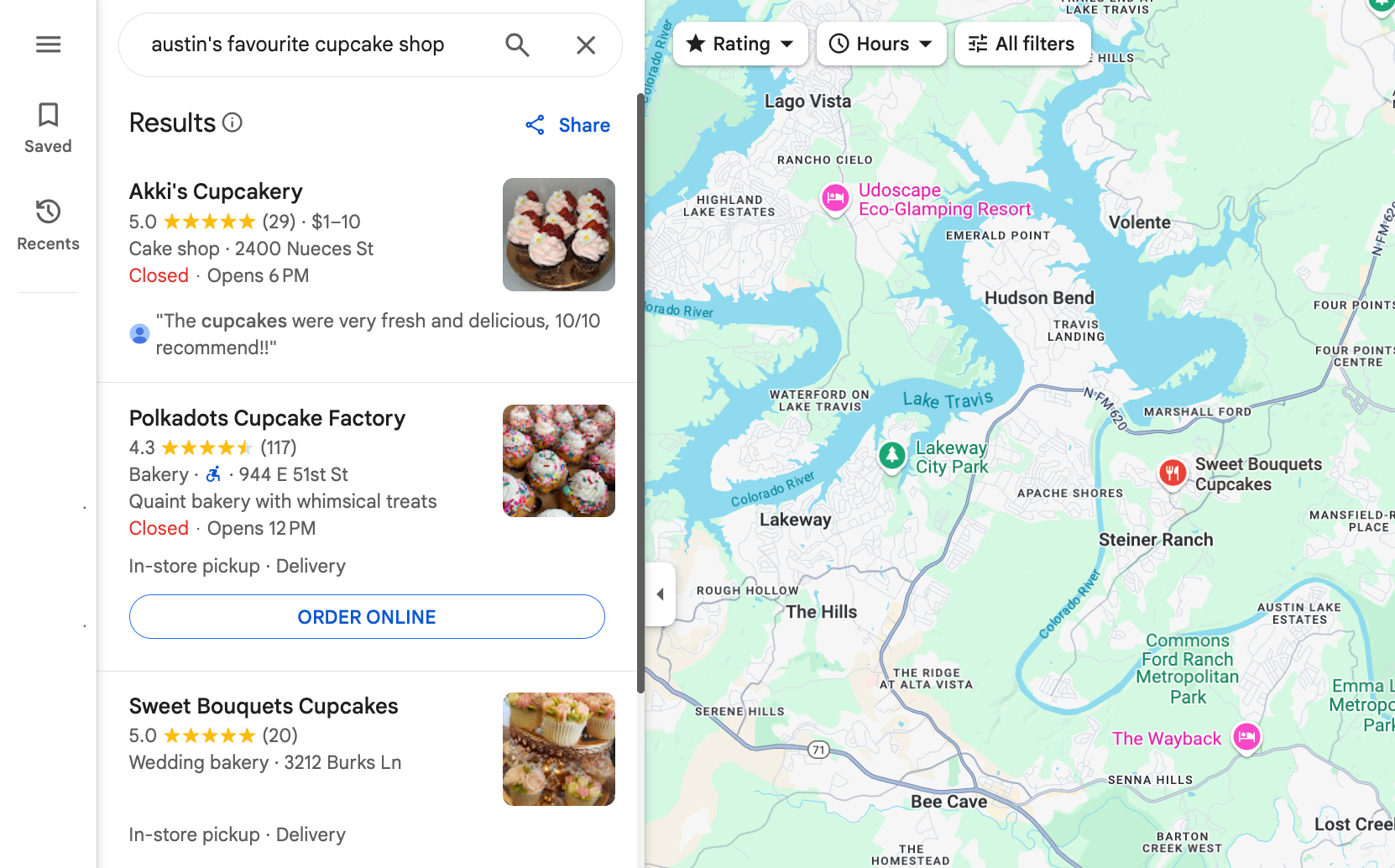
This is where to use those local terms:
- On your home page and about page
- In the descriptions of your products or services
- In blog entries and on your contact page
- Even in headlines, page URLs, and image names
This tells Google, “Hey, we’re local and relevant!” — which can help boost both your website and your Google Maps listing.
10. Keep Your Website In Shape For Local Search
Let’s face it— search engine optimization is not going away, especially when it comes to showing up on Google Maps. If you want your business to appear in local search and Google Business Profile results, you need to keep your site properly optimized.
What does this mean?
- Optimize with local keywords (like your community or city name) on your site
- Write content that will engage your local readers
- Make sure your website is mobile-friendly and accessible on mobile devices
When your website is optimized for local SEO, you’ll be more likely to show up on Google Maps—and in front of people in your area looking for what you’re offering.
Keep up the recommendations we’ve made: get more reviews, list your business in local directories, put up good photos and videos, and keep getting better.
Local SEO Strategies for Business Ranking
Local SEO services can help businesses improve their ranking on Google Maps by optimizing their website and online presence. Follow these strategies to make your business more visible, not only on Google Maps but also on its online space.
- For long-term traffic, mix in blog posts with timeless content that organically contains local keywords.
- Maintain a consistent name, address, and phone number when listing your company in local directories.
- To show interest, request client testimonials, and give a considered response.
- To help search engines understand your location, include local Schema markup.
- To draw in local visitors, write content about events, hobbies, or local topics.
- For voice search, use conversational, long-tail keywords (e.g., “best restaurants near me open now”).
- For increased credibility, gain backlinks from reputable local websites.
- To find out what’s working, keep an eye on everything with tools like Google Analytics and Search Console.
- Finally, since the majority of local searches are conducted on mobile devices, make sure your website is responsive.
Learn more about Local SEO here!
Up Your Local SEO Game To Rank Higher On Google Maps
For local businesses, ranking higher on Google Maps is more than just a nice-to-have; it’s a game-changer. SirLinksalot can provide you with the competitive advantage you require if you’re serious about taking over local search. SirLinksalot helps businesses increase their authority and rank higher on Google Maps with their tried-and-true local SEO services, which include citation building, Google Business Profile optimization, and high-quality local backlinks. Whether you’re just beginning or want to elevate your visibility to the next level, take the advice and assist yourself in creating a solid and sustainable local SEO foundation.