Key Takeaways
- SEO client management software simplifies and automates agency operations to improve efficiency. It allows you to automate the mundane, get organized to deliver more consistent results for your clients!
- By investing in these platforms, we are increasing transparency and communication and taking steps to build trust. This fosters transparency and helps retain clients by continuously informing them with simple, digestible reports.
- Personalizing workflows and onboarding processes ensures a unique experience for each client. This new approach gives a better first impression and manages expectations from the outset.
- Advanced analytics, white label branding, and automated reporting all combine to display your agency’s professionalism. They help them demonstrate REAL ROI to clients.
- Prioritizing data protection, seamless integration with existing tools, and user-friendly interfaces keeps your team efficient and your clients’ information safe.
- Consider which features you need, what the software will cost as you scale, and how it can grow with your agency. Consider it an investment in long-term success!
Managing multiple SEO clients can get messy fast—between juggling tasks, sharing reports, and keeping communication clear, there’s a lot to stay on top of. That’s where SEO client management software comes in.
These tools act as mission control for agencies and consultants. They bring everything—project tracking, client communication, and performance reporting—into one easy-to-use dashboard. For U.S.-based teams, this means real-time visibility into each client’s progress, without digging through emails or spreadsheets.
By choosing the right software, your agency can streamline operations, boost team collaboration, and deliver a better experience to your clients—one that actually drives retention and referrals.
In the next section, we’ll dive into the must-have features and top platforms worth considering.
Why SEO Client Management Software?
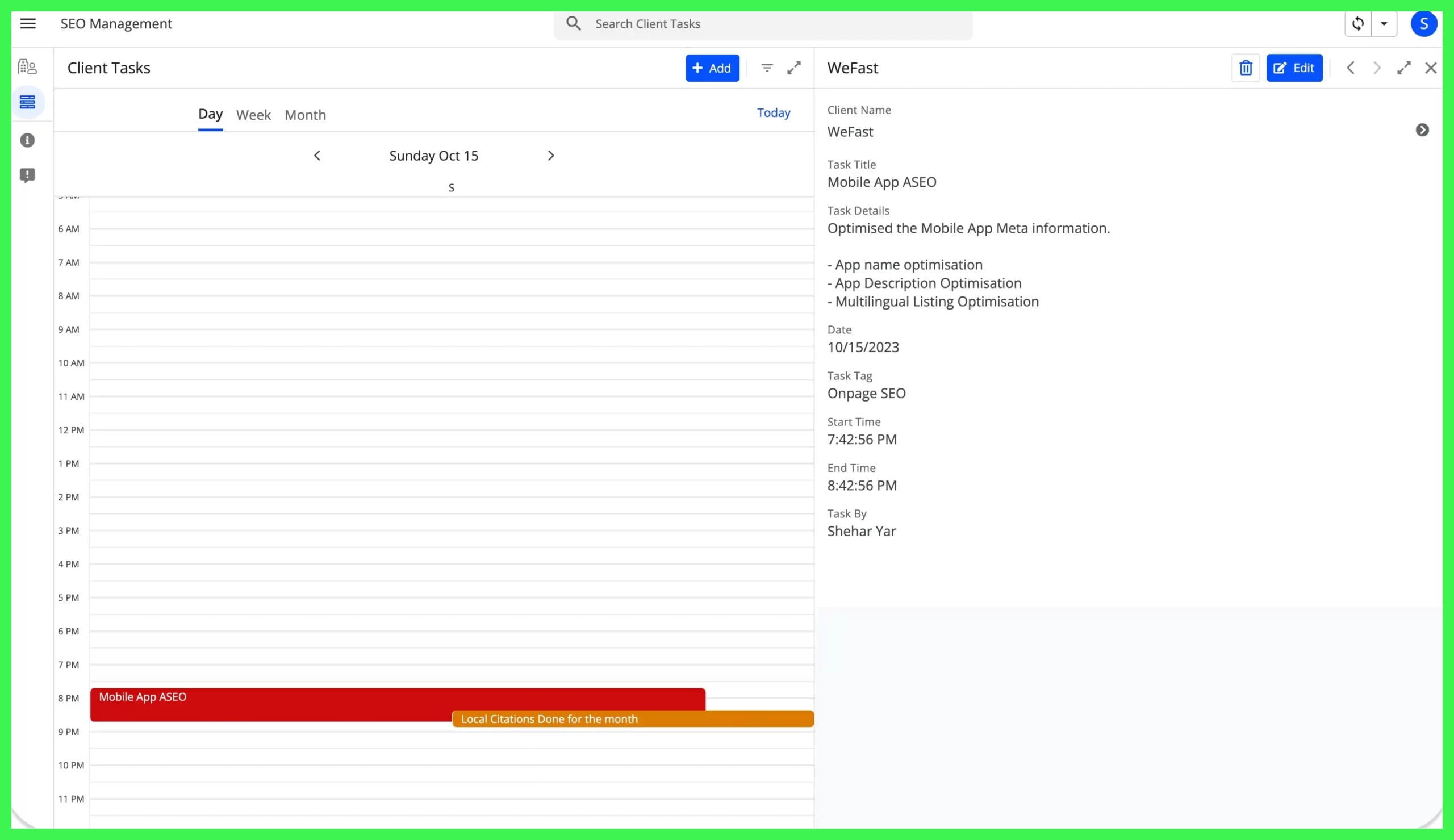
SEO client management tools are necessary for scalability. It allows them to quickly and effectively juggle many clients, projects, and staff.
Whether you are running SEO campaigns in Austin, TX, or anywhere else in the United States, things can become chaotic quickly. Software provides clarity and reduces manual drudgery. It’s what keeps everyone on the same page and working towards the same goals, no matter if you’re a one-person shop or a large and in charge agency.
It links all of the moving pieces—communication, project tracking, reporting, and automation—together in one place.
Agency Edge
With the right tools, agencies are able to get a true competitive edge, allowing them to dive deeper into data, identify trends, and respond much more quickly. With built-in analytics, teams have 24/7 visibility into what’s working or what may be falling short.
This goes a long way in helping you pitch and build trust with new clients. When you’re able to produce specific outcomes and back up your approach with irrefutable figures, clients sit up and listen.
White label solutions further allow agencies to put their branding front and center, even when agencies are working behind the scenes with third-party tools. That way, every time a client logs into an account or receives a report, it’s your agency logo they’re seeing—not your competition’s.
This is invaluable in places like Austin, TX, where digital marketing is a bloodbath and being different makes all the difference. With a developer on hand, tools can be modified immediately or bugs repaired right away. That means fewer disruptions and smoother upgrades, letting you keep the software productive and aligned with your operations.
Client Success
Their clients need to understand what’s going on with their SEO investment. Software goes a long way in helping agencies instill trust by automatically generating and distributing frequent, digestible reports—often directly in stakeholders’ inboxes.
This way, clients aren’t limited to seeing their progress during monthly check-ins. Beyond project development, teams can leverage these same tools to develop strategies that best align with each client’s goals.
Rather than one-size-fits-all plans, agencies develop the plan that’s called for by current conditions and informed by previous successes.
- Gather feedback via surveys or direct email correspondence to identify areas of friction.
- Use feedback to tweak keyword targets or content direction.
- Monitor which reports clients are opening the most to identify the topics they care about.
- Share before-and-after snapshots to highlight progress.
- Adjust meeting schedules based on client preferences.
Use real results case studies supported by software data to flex—imagine boosting traffic, rankings, or generating more leads. Stories like these are invaluable tools for agencies seeking to win new business and to keep their current clients satisfied and engaged.
Workflow Zen
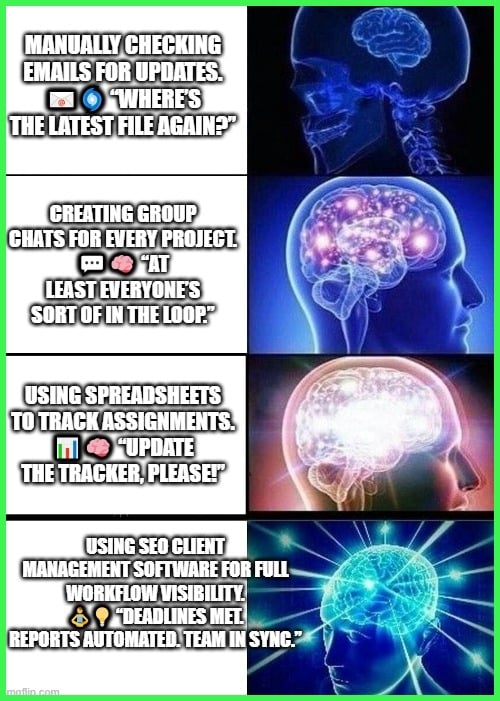
Software integrates all aspects of a project, streamlining collaboration and communication. Team members can see what’s due, who’s handling what, and where a project stands without digging through email threads or spreadsheets.
Each person knows exactly what their role is, and firm deadlines provide accountability and momentum. Routine, low-level tasks—such as weekly or bi-weekly reports and check-ins—can be put on autopilot.
This, in turn, frees up staff to focus on more creative or complex work. Reducing wasted time by centralizing all project details inevitably leads to less time spent searching for files or updates. The outcome: reduced errors, shorter turnaround times, and a staff that operates as a highly efficient team.
Core Capabilities
SEO client management software provides a range of robust features to help empower agencies and consultants. It keeps them sharp and at the top of their game! These tools are built to make work smoother, keep clients in the loop, and make sure nothing slips through the cracks.
| Feature | Description |
| 1. Smooth Onboarding | A user-friendly dashboard and interactive tutorials help new clients and team members get started quickly. Automated forms capture key info (site data, goals, contacts) and minimize back-and-forth emails. Clients get next steps and checklists to set clear expectations. |
| 2. Workflow Control | Customize workflows to match your agency’s process. Assign tasks, set milestones, and use alerts to keep everything moving. Easily adapt for client-specific needs. Task boards and quality checks help prevent delays and errors. |
| 3. Progress Tracking | Real-time dashboards show keyword rankings, traffic trends, and site errors. Clients see clear visuals that tell a story, not just numbers. Monitor goals (e.g,. keyword rankings, traffic increases) and catch issues early. |
| 4. Audit Capabilities | Schedule regular SEO audits to find and fix issues like broken links or missing tags. Get actionable recommendations for improvements. Helps maintain best practices and proves your value to clients. |
| 5. Report Automation | Set up branded report templates and automate delivery (weekly, monthly, etc.). Highlight key KPIs like conversions, backlinks, or traffic. Saves time and ensures consistent client updates. |
| 6. Branded Experience | White-label dashboards allow full customization with your agency’s branding. Add visuals and notes to personalize each client’s experience. Builds trust and reinforces professionalism. |
Smart Selection
Smart selection is all about finding the right SEO client management software to fit the work your agency performs. It’s more than just choosing the shiniest new tool! In Austin, where tech is moving a mile a minute and clients are expecting quick turnaround and results, this is true.
A system that empowers you to select and filter the right data, automate grunt work, and better align teams can turn chaos into a well-oiled machine.
Define Your Needs
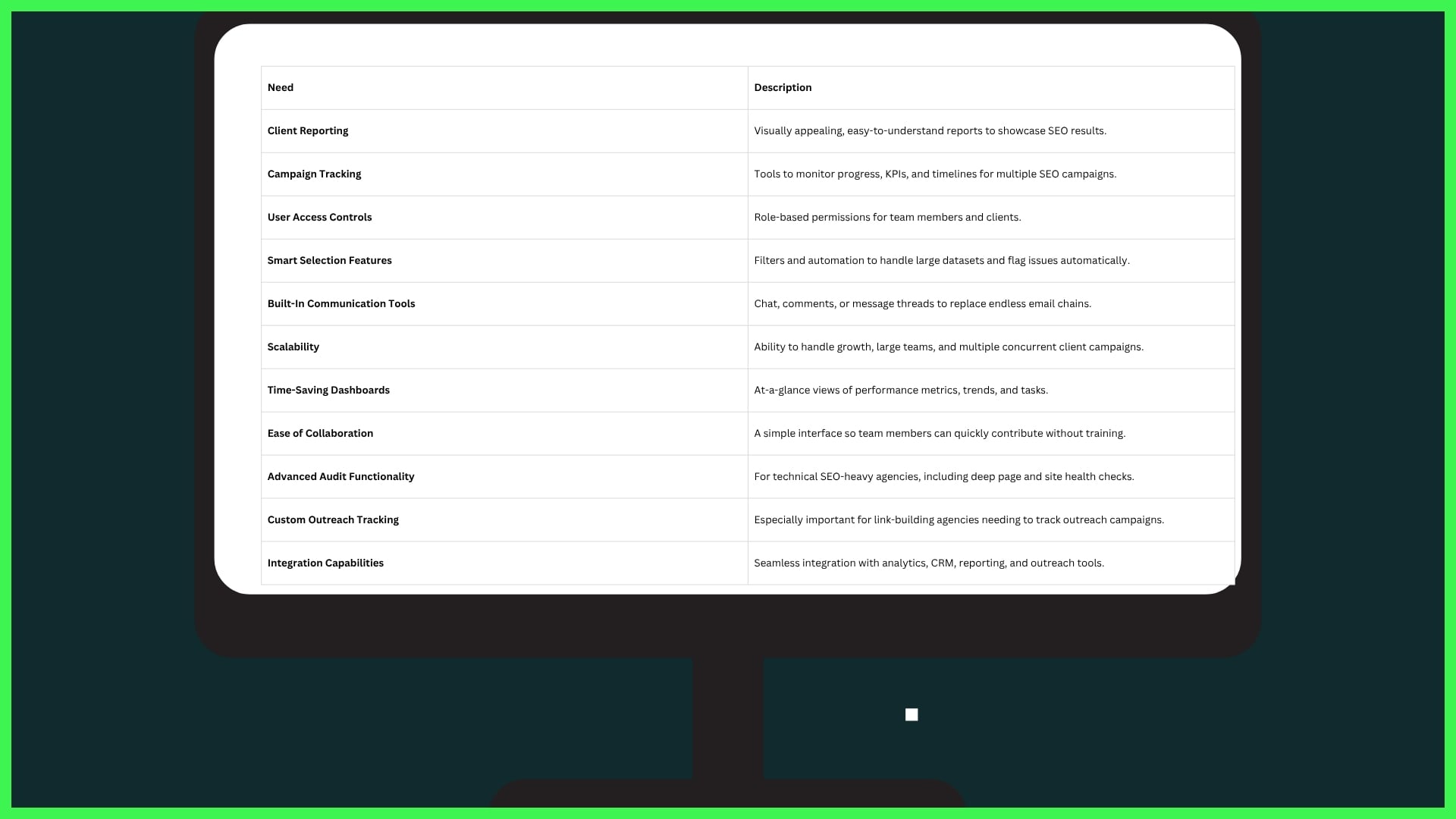
Begin with a detailed inventory of your agency’s must-haves. Think beautiful client reporting and powerful campaign tracking. Now, amplify those tools with user access controls, smart selection features for navigating large datasets, and built-in communication tools.
If you’re working with a large team or have layered services, you’ll want software that scales—something that doesn’t break down when things get busy or when you’re running campaigns for ten local businesses at once.
Especially for the agencies without the resources of larger agencies, it’s key to use tools that help eliminate that noise. Save time on the day-to-day with dashboards that visualize trends and patterns instantly!
Look for collaborative software that allows various members of your team to easily hop on and off without a huge learning curve. If your bread and butter is technical SEO, get deep into the audit functionality.
Look for smart selection capabilities that use predefined rules to automatically flag problem areas. For link-building shops out here in Texas, customizable outreach tracking and integration with reporting tools are a necessity.
Assess Costs
Purchasing costs can be deceptive. Other tools charge a flat monthly rate regardless of your team’s size. Some charge you by the user, while others sneak up on you with add-ons for “advanced” reporting or support.
The rule of thumb is to always verify that the cost aligns exclusively with what you require today. Likewise, consider where you want your agency to be a year from now! Remember, the best deal isn’t necessarily the lowest price.
There are times when higher upfront costs deliver greater value by saving dozens of hours of manual sorting or producing easier-to-understand client wins. Keep an eye out for unexpected costs, such as fees for additional storage or API usage.
It’s worth having conversations with other agencies in your sphere about what they are spending, and more importantly, what they are spending on. Consider long-term costs, not short-term savings alone.
The right tool that accelerates data sorting and smart selections will save you money. It frees your best professionals to focus on work that brings in more new business.
Check Synergy
The best SEO software should seamlessly integrate with your existing tech stack. If you regularly use Google Analytics, Slack, or any reporting software like Data Studio, choose software that integrates well with those.
See how the new tool can help your agency’s daily grind! Does it reduce double entry, or does it create new hassles? Smart selection becomes even more powerful if it does so across systems, seamlessly bringing the data you want into the fold without a hassle.
Solicit feedback from your agency’s team on what is user-friendly and what is confusing. They’ll be the first to recognize when something is slowing them down or if the smart selection is indeed smart enough to start picking up the right info.
Even better, run a pilot first! In this manner, you won’t be stuck with a shiny object that only shined on paper.
Prioritize Usability
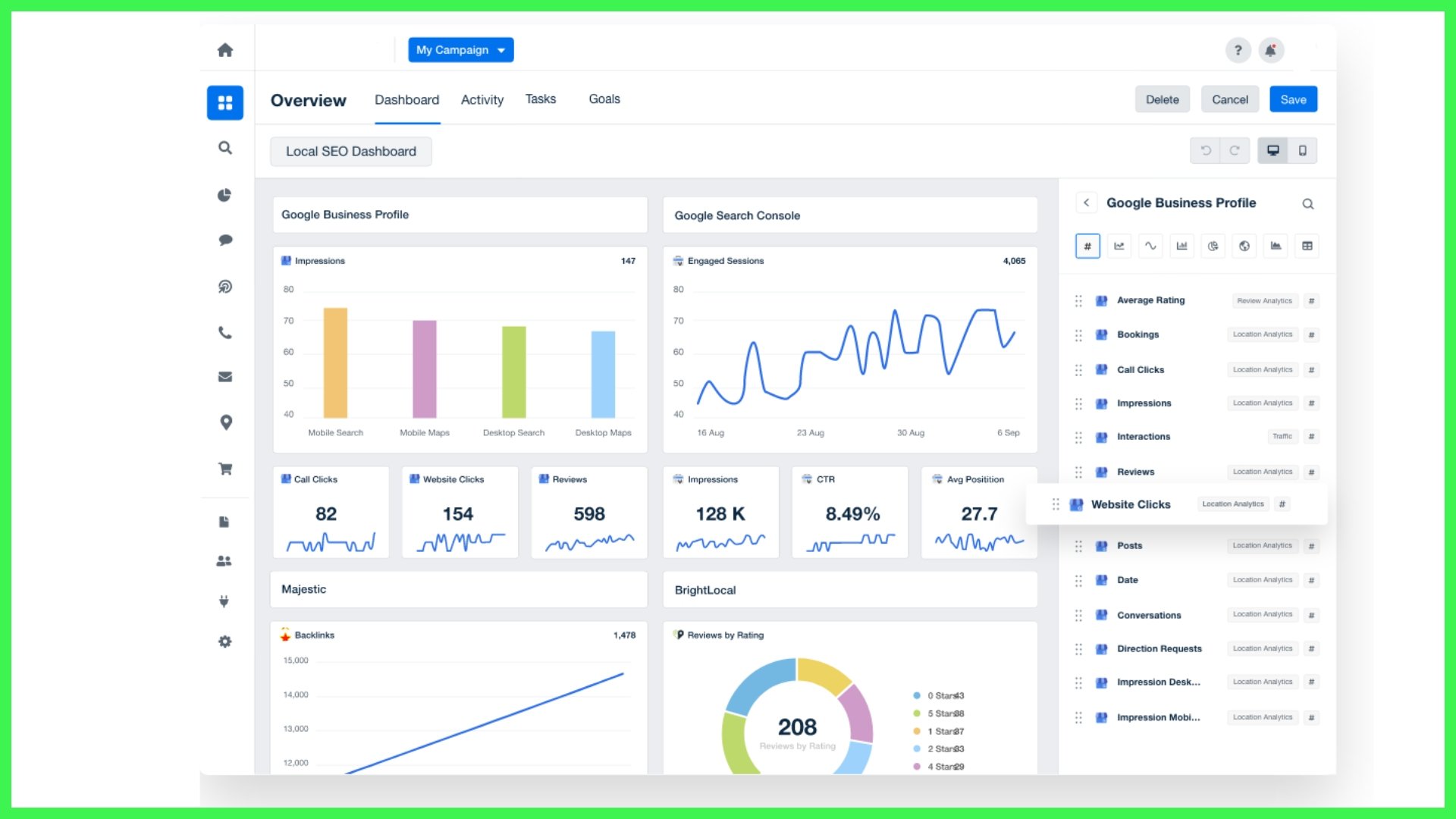
Avoid software where the interface is clunky. Most smart selection tools are extremely powerful, but many are incredibly frustrating to learn.
Never buy something without trying a demo first, and even better, a mini-trial run. Ensure that it’s something the team will be able to pick up quickly—if it will take weeks to get up to speed, it’s not worth it.
Platform Choices

You do have to know how each platform fits in with your particular workflow, your budgetary needs and your client expectations. The right one will find the sweet spot between all-in-one, niche specialization, data visualization, and future-proofing to build for your business.
Here’s a quick comparison of common platform types:
| Type | Best For | Example Platforms | Key Features |
| Comprehensive Suite | Agencies, big teams | SEMrush, Ahrefs | Full suite, integrations |
| Niche Solution | Industry-specific needs | BrightLocal, Botify | Specialized SEO, local/tech |
| Data Visualizer | Agencies, consultants | AgencyAnalytics, Databox | Custom reports, dashboards |
| Hybrid | Flexible teams | Moz Pro | Mix of suite/niche features |
Comprehensive Suites
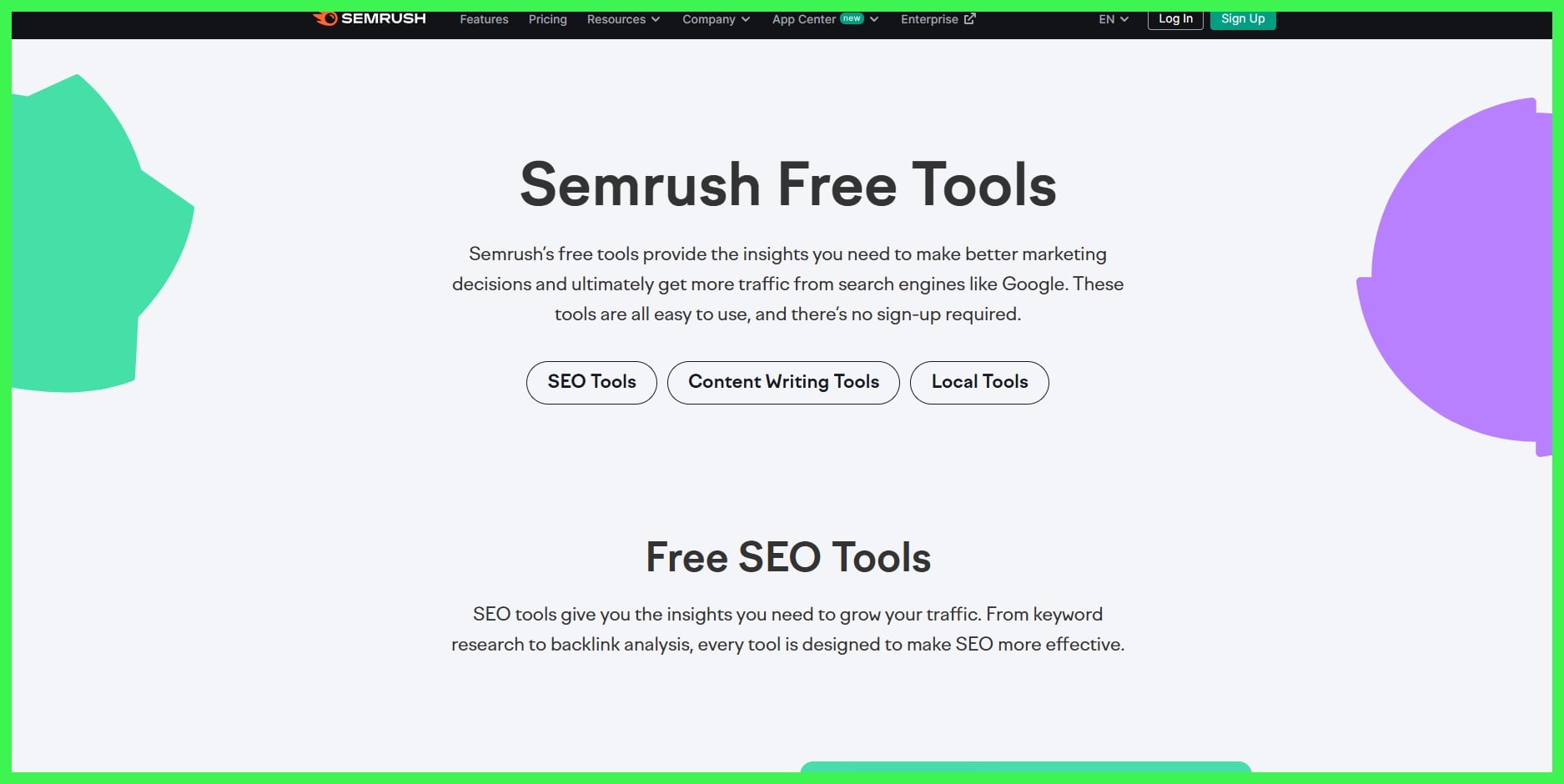
All-in-one SEO platforms such as SEMrush and Ahrefs consolidate keyword research, site auditing, reporting, and competitor tracking. They’re designed for agencies that want to make fewer platform logins and have tighter integrations.
This layout creates a seamless transition from backlink audits to content planning all in one hub! These comprehensive suites frequently integrate seamlessly with platforms such as Google Analytics and Slack. They are invaluable to helping teams accelerate communications and get results out early!
The catch, though? The learning curve is steep, and the price tag often causes smaller agencies to hesitate. Still, the value comes from having everything under one roof: no juggling separate logins or exporting endless spreadsheets.
Niche Solutions
Specialized tools, such as BrightLocal, get super-niche into local SEO. They help agencies rank well in the map pack and control map citations for clients with physical locations. Others, such as Botify, are purposefully designed for more technical heavy lifting—imagine crawling thousands of complex e-commerce sites or debugging JavaScript SEO.
These platforms are less intimidating and more accessible. They don’t necessarily hit all the bases, so many agencies implement them in addition to larger suites. It’s a trade-off: you get sharp focus and often lower costs but may need to stitch together separate tools for full coverage.
Few niche solutions outshine others by providing white-label reports, allowing agencies to further brand their service as their own. If you’re working with Texas-based businesses, choosing tools that have robust local search intelligence for U.S. Cities is crucial.
Free trials and discounts make it an even sweeter deal, so it’s easier to try before you buy.
Data Visualizers
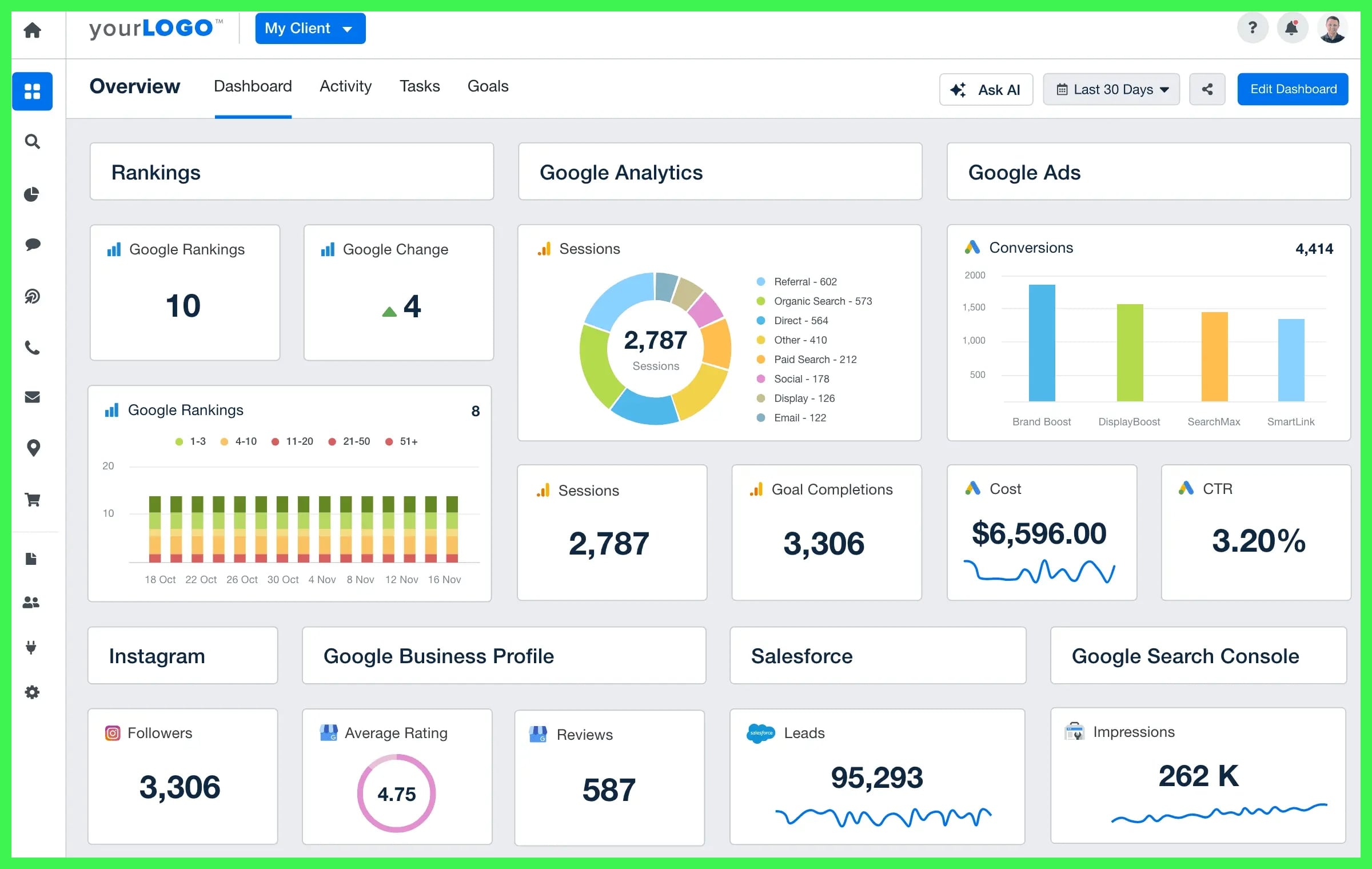
Tools like AgencyAnalytics and Databox help agencies turn dense SEO data into easy-to-read charts and dashboards. If you’ve ever had a client’s eyes glaze over at a pile of CSVs, you know how handy these platforms can be.
They let you build custom dashboards, so each client only sees what matters to them—maybe keyword movement for one, or conversion rates for another. Visualizers translate complicated findings into clear, intuitive reports that cut through the noise, helping clients better understand their results.
Some platforms will even send you automated email reports. Best of all, you can view them on your mobile device, allowing you to easily keep all parties informed with minimal effort! These tools aren’t solely focused on aesthetics; they strengthen trend identification and performance monitoring, increasing client confidence.
Scalability
Scalability means the platform can grow with your agency. If you plan to add more clients or services, pick software that handles more users and bigger data without slowing down.
For agencies that are scaling quickly, look for a platform that provides bulk pricing or the ability to create a custom plan.
Top 5 SEO Client Management Software
Managing SEO clients is no small task. From tracking deliverables to sharing reports and keeping communication clear, the right software makes all the difference. Here are five of the best SEO client management platforms trusted by agencies and consultants across the U.S., plus some discount info to help you save.
| Tool | Best For | Key Features | Starting Price |
| SE Ranking | All-in-one SEO and client reporting | Rank tracking, white-label reports, and automated site audits | $44/month |
| BrightLocal | Local SEO agencies | Local citation tracking, GMB audits, and automated client reports | $39/month |
| AgencyAnalytics | Report automation | Drag-and-drop dashboards, 75+ integrations, white-label portals | $12/month per client |
| ClickUp | Workflow & task management | Custom workflows, client portals, SEO templates | Free plan available; paid from $7/month |
| DashThis | Simplified SEO reporting | Easy KPI dashboards, scheduled reports, and Google Sheets integration | $33/month |
The right software makes a difference—but pairing it with high-quality deliverables seals the deal. For SEO pros looking to scale outreach and backlink acquisition, tools like SirLinksalot can quietly power up your client results behind the scenes.
Hidden Value
SEO client management software is more than monitoring keyword rankings and backlinks. It realizes this hidden value by enhancing agency operations, safeguarding data, and assisting enterprises in the rapidly evolving digital economy. For digital pros in Austin and all of their peers, the right platform can help transform that daily chaos into organized, proactive progress.
Here’s how these platforms provide hidden value that escapes broad attention.
Data Protection
- Do use services that require two-factor verification and strong password measures.
- Avoid storing sensitive client information unencrypted, including in Word docs.
- Do select technical tools that offer SSL certification and encrypted cloud storage.
- Do not postpone routine software updates or patches.
- Don’t backup client data at irregular intervals.
- Do regularly audit user permissions and access logs.
- Avoid sharing logins between users.
- Don’t avoid complying with U.S. privacy laws and/or agreements with your clients.
Strong SEO systems should include encryption for data-at-rest and in-transit, comprehensive backup capabilities, and readable and searchable audit logs. These features are designed to protect confidential client information. They are particularly important when dealing with enterprise accounts, where data lives in multiple systems.
Constant audits and reviews of data policies ensure that everything is current and in compliance. This assurance is comforting to agencies and clientele alike.
Seamless Collaboration
In a large agency, collaboration tools natively integrated into your SEO software are a game changer. Collaborative workspaces allow all parties to view the latest changes and provide comments on design advancements instantly as they occur. Keeping all of your project notes, SEO audits, and link-building plans in one collaborative workspace keeps your team organized and working efficiently.
This method reduces confusion and protects priceless time! Project handoffs become smoother with clear lists of tasks, along with chat features embedded. Even these small shops can easily lose track of what everyone is doing.
Larger teams may be able to prevent the risk of important steps falling through the cracks. Encouraging contributions from all members creates the highest quality ideas and product, with each member knowing their ideas will be heard and considered.
Future-Proofing
SEO is a living and breathing thing, and so is your software. Choose a platform that receives continuous updates and new features to stay ahead of Google and other search engines. That way, you can identify issues like slow page speeds or crawl errors before they impact rankings.
That adaptability—even the ability to plug into other tools, whether that’s an e-commerce plugin or an analytics dashboard—means the software evolves alongside you. If your projects are growing in scale and complexity, you need a process that evolves with you, not one that caves when the heat is on.
Enterprise clients in particular have much to gain from this. Their sites are usually a patchwork of different CMS, custom code, and add-ons baked in.
Role Management
Manage visibility for different audiences. Limit the permissions to only those necessary based on an employee’s job duties. Monitor activity logs and alerts regularly. Manage team roles and responsibilities.
User Voices

User voices influence our overall process of choosing and implementing SEO client management software. They allow us to know what works and what trips people up. In addition, they point out what may be a better solution to meet our needs.
By looking at complaints, testimonials, and stories from the field, we can do better. That’s the beauty of doing things this way — it provides us with a tangible understanding of how these tools truly work out in the daily grind of agency life.
- Gather user feedback to understand the strengths and weaknesses of various platforms.
- Analyze reviews and testimonials to guide software selection decisions.
- Engage with the SEO community to share experiences and insights on software usage.
- Use user voices to identify common challenges and best practices in SEO management.
Designs appear quickly, and trends spread even faster. Missed deadlines, confused clients, or lost data were felt deeply across agencies.
Through user testing, we’ve learned that clear notifications and easy-to-use reporting are non-negotiables. Other specialists advocate for implementing quarterly review meetings with software representatives to offer feedback and advocate for improvements.
Even the most hostile criticism is helpful—it shines a light on elements in need of repair. Explore how best practices can emerge from user stories, such as creating custom dashboards or utilizing built-in templates to expedite processes.
Conclusion
SEO client management software helps you stay organized and on point. It stores all the correct information in one place and allows teams to avoid the madness. Thanks to the right client management tool, people streamline their update process, deliver more explicit reports, and provide quicker response times to their clients.
Real-world prototypes in Austin and around the state of Texas are already using these tools to stay cutting-edge and earn public trust. One local shop reduced the amount of time spent on emails in half simply by choosing a better dashboard. These stories illustrate that the benefits are tangible, not simply promised.
Want to help your agency operate more efficiently and improve client trust? Try the leading solution, experience the difference for yourself, and get your team members working on the tangible victories that matter most. SirLinksALot has your SEO research covered if you’re ready to learn more.
Frequently Asked Questions
What is SEO client management software?
SEO client management software is designed to help agencies streamline workflows, track campaign performance, and generate reports that keep clients informed about their SEO campaigns. It helps you improve client communication, automate reporting, keep projects organized, and drive better results – faster.
Why should agencies use SEO client management software?
Agencies save time on project management and reporting while increasing accuracy, reducing miscommunication, and thus improving overall client satisfaction. Having client management software centralizes everything in one easily searchable place, drastically simplifying task management, deadline tracking, and performance metric reporting across multiple clients.
What core features should I look for in SEO client management software?
Look for simple reporting and bulk task management. Beyond that, make sure to look for project tracking, client portals, and integration with popular SEO tools such as Google Analytics and SEMrush. These core features are essential for maintaining an efficient workflow.
Is SEO client management software secure?
Most top-tier platforms employ bank-grade data encryption and frequent data backups. Be sure providers are compliant with U.S. Data protection standards, and ensure user access controls are well established before selecting a provider.
Can I integrate SEO client management software with local tools?
Look for software that has a robust integration list so you can be sure it will fit into your workflow.
How does this software add value for Texas-based agencies?
It can automate local ranking reports, has functionality for region-specific keywords, and has localized communication tools. This allows Austin and other Texas agencies to provide tailored, market-specific results to their clients.
What do users say about the top SEO client management platforms?
Users praise platforms for saving time, improving client communication, and offering detailed analytics. Most users agree that having automated reports and real-time dashboards available simplifies client management dramatically.